

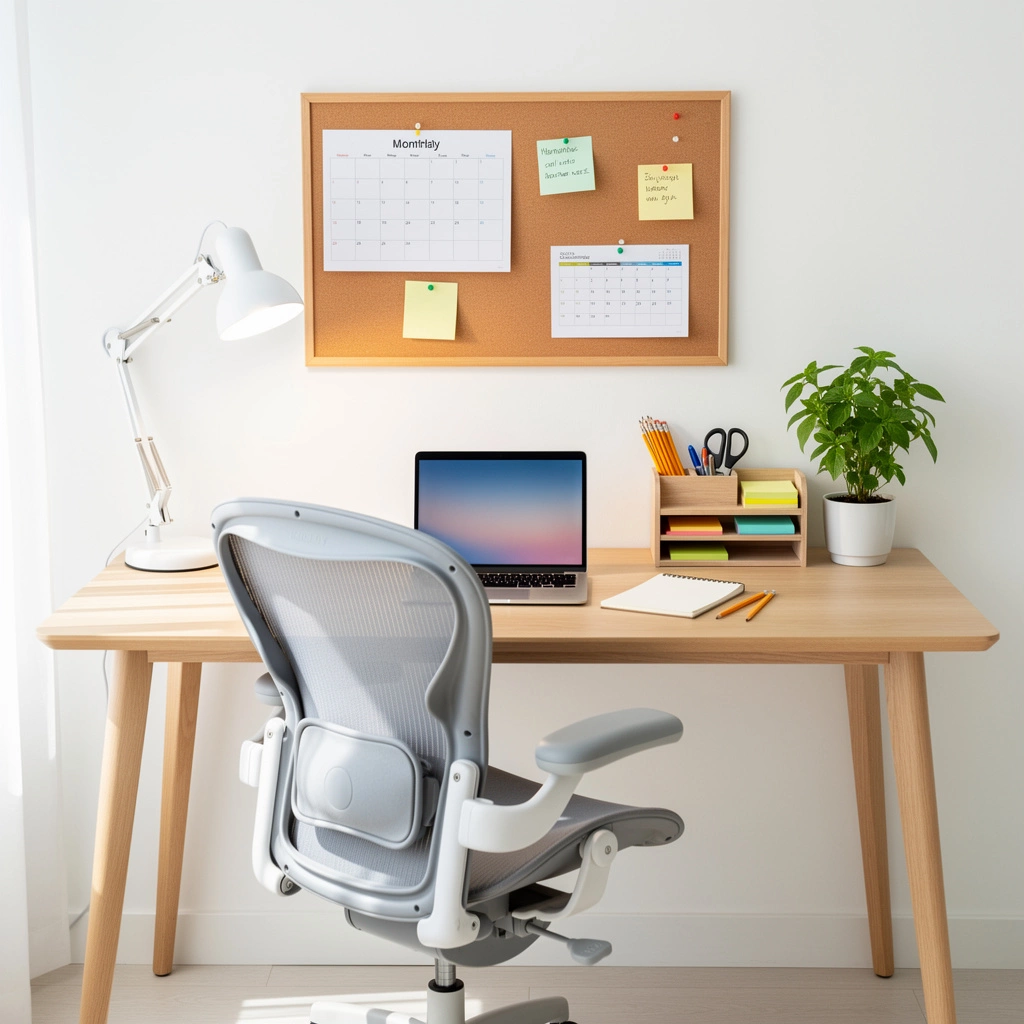
Homework battles don’t always stem from motivation problems. Sometimes the environment itself works against focused learning. A homework station setup transforms a chaotic, frustrating routine into a streamlined process where students can concentrate, find what they need, and complete assignments efficiently.
This comprehensive guide covers everything you need to create an effective homework station: location selection, essential components, age-specific adaptations, organization systems, and solutions for common challenges like limited space and tight budgets. Whether you’re setting up a first-grader’s coloring corner or a high schooler’s research hub, you’ll find practical strategies backed by educational research and real-world testing.
By the end, you’ll have a complete roadmap to design, implement, and maintain a homework station that reduces daily stress and builds long-term study habits.
What Is a Homework Station and Why Does It Matter?
A homework station is a designated workspace equipped with the tools, lighting, and organization systems students need to complete school assignments. Unlike temporary setups at kitchen tables or couches, homework stations remain configured for studying, eliminating setup time and creating environmental cues that prime the brain for focused work.
The concept extends beyond simply placing a desk in a room. Effective stations address ergonomics, sensory environment, supply accessibility, and psychological ownership. When these elements align, students transition into homework mode faster and sustain attention longer.
Why dedicated spaces outperform temporary setups:
Research in environmental psychology demonstrates that consistent study locations create “context-dependent memory” associations. The brain begins associating that specific space with concentration and learning, making it easier to enter focused states. Students using dedicated homework areas show measurably better assignment completion rates and spend less time procrastinating at task initiation.
Kitchen tables and shared spaces require mental energy to transition into “homework mode” each session. Students must ignore cooking smells, television sounds, and the psychological associations of those spaces with relaxation or meals. Dedicated stations eliminate these competing signals.
The real-world impact:
Parents report homework completion time decreases by 25-40% after implementing proper homework stations, not because children work faster, but because they spend less time searching for supplies, getting distracted, or resisting the start of work. The environmental structure does much of the behavioral management that previously required constant parental intervention.
The Science Behind Dedicated Study Spaces
Educational neuroscience reveals why homework station setup matters beyond aesthetics. The brain processes environmental information constantly, even when we’re trying to focus on something else. Visual clutter, uncomfortable seating, poor lighting, and noise all consume mental resources that could otherwise support learning.
Cognitive load theory explains this phenomenon. Working memory has limited capacity. When the environment creates problems (glare on a screen, supplies out of reach, distracting background noise), the brain dedicates processing power to managing discomfort instead of encoding information or solving problems. Optimized homework stations reduce extraneous cognitive load, leaving more mental capacity for actual learning.
Environmental psychology principles:
- Physical boundaries create psychological boundaries – Defined spaces help students mentally separate “homework time” from “free time,” especially important in homes where bedrooms serve multiple purposes.
- Sensory consistency builds habits – Using the same space, lighting, and setup creates automatic behavioral patterns. Students begin mentally preparing for work as they approach the station.
- Ownership drives maintenance – When students participate in designing their space and choosing organizational systems, they develop psychological ownership that increases voluntary use and care.
- Ergonomic comfort extends attention span – Physical discomfort triggers distraction reflexes. Proper furniture alignment allows students to maintain focus for developmentally appropriate periods without fidgeting or position changes.
These principles apply regardless of budget or available space. Even modest improvements to study environments produce measurable benefits.
Essential Components of Every Homework Station
Regardless of age or budget, certain elements form the foundation of functional homework stations. These components address the basic needs students have during study sessions: physical comfort, adequate lighting, accessible supplies, and organizational systems.
Work Surface
The desk or table provides the foundation. Key requirements:
- Proportional height – When seated, students should have elbows at approximately 90-degree angles with forearms parallel to the work surface
- Adequate depth – Minimum 24 inches to accommodate books, notebooks, and laptops simultaneously
- Stable construction – Wobbling surfaces distract and frustrate
- Sufficient width – At least 36 inches allows multiple materials without constant rearranging
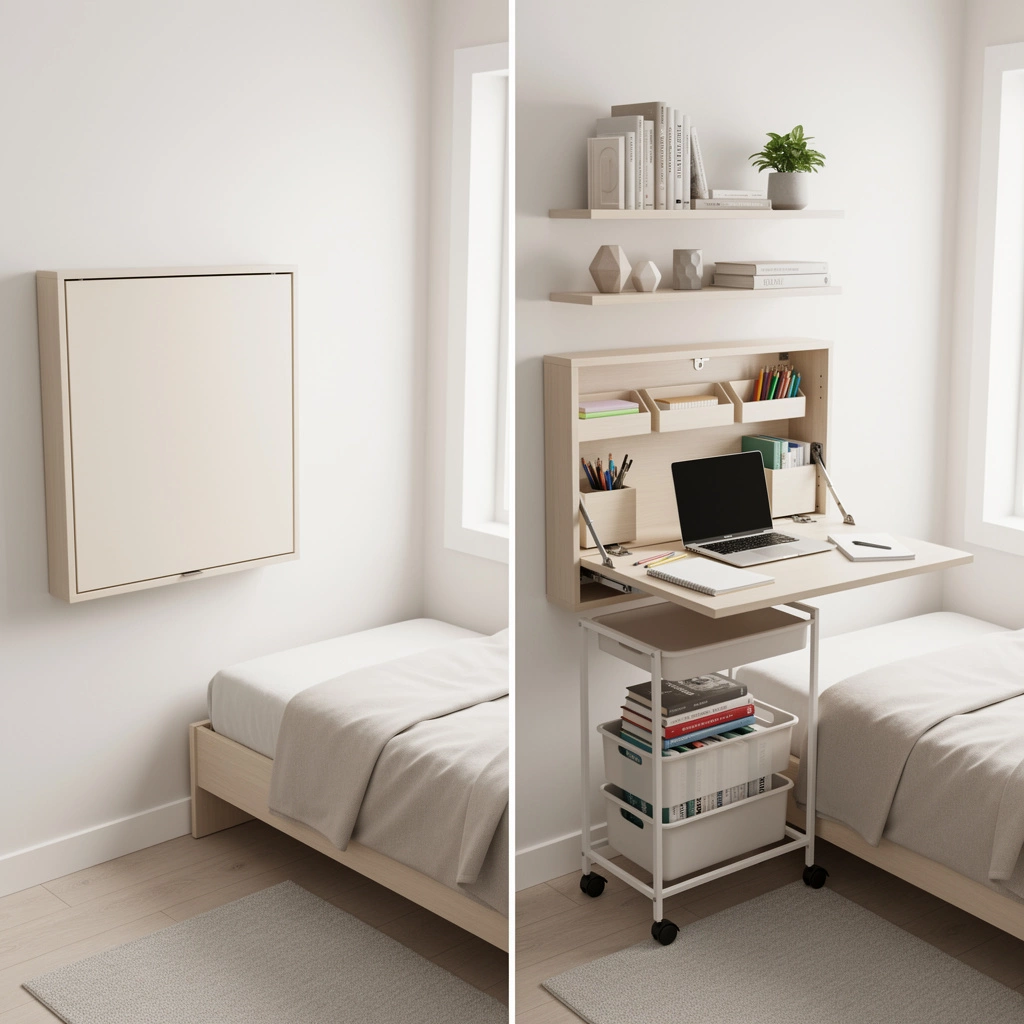
Small bedrooms can use wall-mounted drop-down desks or corner arrangements that maximize floor space.
Seating
Chair selection dramatically impacts sustained focus ability. Essential features:
- Back support – Lumbar support reduces fatigue and poor posture habits
- Adjustable height – Allows proper positioning as children grow
- Foot support – Feet should rest flat on floor or footrest; dangling legs cause discomfort and fidgeting
- Appropriate seat depth – 2-3 inches of space between seat edge and back of knees prevents circulation restriction
Budget-conscious families can add cushions or rolled towels to provide lumbar support on basic chairs.
Task Lighting
Proper illumination reduces eye strain and headaches while improving reading comprehension. Requirements:
- Brightness level – 300-500 lux at the work surface (roughly equivalent to a 60-watt LED bulb at desk level)
- Color temperature – 4000-5000K (cool white) enhances alertness; avoid warm yellow tones that promote relaxation
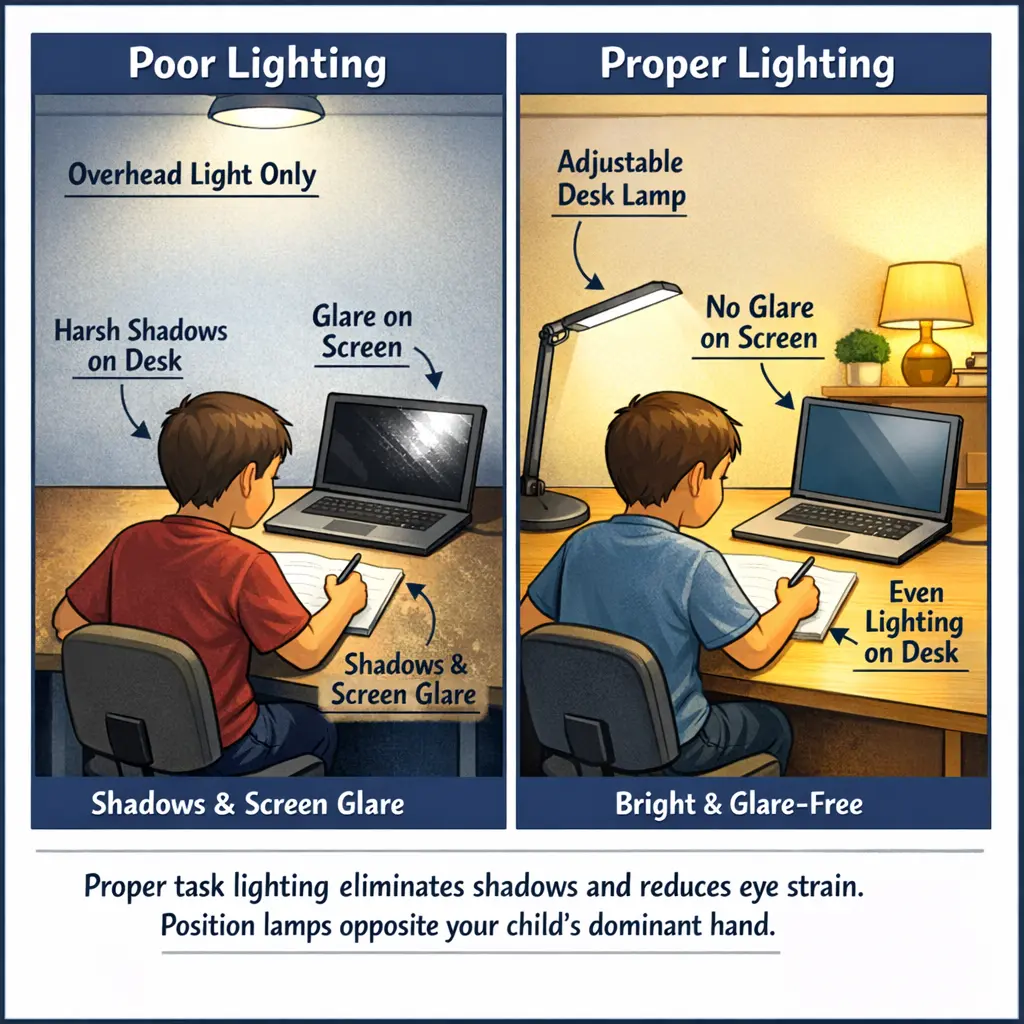
- Position – Light should come from the side opposite the dominant hand to prevent shadows on work
- Adjustability – Desk lamps with articulating arms allow repositioning for different tasks
Overhead lighting alone creates shadows and insufficient brightness for detailed work.
Supply Organization
Accessible materials reduce interruptions and resistance. Core supplies include:
- Writing instruments (pencils, pens, erasers, sharpeners)
- Paper (notebook, loose-leaf, printer paper)
- Basic tools (scissors, stapler, tape, glue stick, ruler)
- Subject-specific items (calculator, protractor, colored pencils)
- Reference materials (dictionary, subject quick-reference sheets)
Storage should keep items visible and within arm’s reach. Drawer organizers, desktop caddies, or wall-mounted systems all work depending on available space.
Assignment Tracking
A system for managing deadlines and tracking progress prevents forgotten assignments. Options:
- Wall calendar with assignment due dates
- Dry-erase board with weekly schedule
- Planner or assignment notebook
- Digital calendar (for older students)
Visual systems work best for younger students; digital tools suit tech-comfortable teens.
Technology Access
Most modern homework requires internet connectivity. Stations need:
- Stable WiFi signal or ethernet connection
- Charging capabilities for laptops, tablets, or Chromebooks
- Power strip with adequate outlets
- Cable management to prevent tangled cords
Position screens to avoid glare from windows or overhead lights.
Minimal Visual Distractions
The space immediately around the homework station should be relatively clear. This doesn’t mean sterile, but intentionally curated:
- Remove toys, games, or entertainment items from the immediate field of view
- Use solid-colored containers rather than clear bins that display contents
- Keep bulletin boards focused on academic materials rather than random decorations
- Position the desk to face a wall rather than a window with active outdoor views
Some personalization (favorite color accents, motivational quotes, achievement displays) helps students feel ownership without creating distraction.
Choosing the Right Location in Your Home
Location selection balances supervision needs, available space, and noise control. The right answer varies by student age, home layout, and family dynamics.
Location Decision Framework
For elementary students (K-5):
Common areas with passive parental presence work best. Young children need frequent check-ins, questions answered, and redirection to stay on task. Kitchen nooks, dining room corners, or family room stations allow parents to monitor progress while cooking dinner or managing household tasks. Avoid complete isolation, which can feel lonely and creates opportunities for off-task behavior.
For middle school students (6-8):
Transition zones work well. These students need some independence to build executive function skills but still benefit from occasional supervision. Bedrooms can work if parents do periodic check-ins, or stations in quieter common areas (home offices, upstairs hallways) provide separation from younger siblings without complete isolation.
For high school students (9-12):
Bedrooms or private spaces support autonomy and complex projects requiring sustained concentration. Older students typically self-regulate better and need less frequent monitoring. However, for students struggling with screen distraction, common area stations keep digital device use visible.
For college and adult learners:
Separation from living spaces improves focus. Dedicated rooms, office spaces, or carefully partitioned bedroom areas help create mental separation between study and relaxation zones.
Location-Specific Considerations
Bedrooms:
- Advantage: Privacy, quiet, personal ownership
- Disadvantage: Sleep associations may reduce alertness; limited parental visibility
- Best for: Older students with good self-regulation
- Setup tip: Position desk away from bed to maintain spatial separation between work and sleep zones
Common areas (kitchen, dining room, family room):
- Advantage: Parental presence, natural accountability
- Disadvantage: Noise, distractions, lack of permanent setup
- Best for: Elementary students, students needing high support
- Setup tip: Use portable organizers that can be moved if space serves multiple purposes
Home office or guest room:
- Advantage: Quiet, professional atmosphere, permanent setup
- Disadvantage: May feel isolated for younger students
- Best for: Families with available space, older students with long projects
- Setup tip: Ensure adequate climate control and lighting in spaces that might not be regularly used
Shared bedrooms:
- Advantage: Uses existing space, age-appropriate supervision from siblings
- Disadvantage: Potential conflicts, different schedules, space constraints
- Best for: Families with limited room options
- Setup tip: Use headphones, schedule homework times, create visual barriers with furniture arrangement or curtains
Environmental Factors
Noise control:
Position stations away from high-traffic areas, appliances, and entertainment centers. If complete quiet isn’t possible, white noise machines or noise-canceling headphones reduce auditory distractions.
Natural light:
Windows provide beneficial daylight but can create glare on screens or cause overheating. Position desks perpendicular to windows rather than facing them directly. Use adjustable blinds to control brightness.
Climate:
Basements may be cool; upper floors may overheat. Comfortable temperature ranges (68-72°F) support sustained concentration. Avoid areas with drafts or inadequate heating/cooling.
Traffic patterns:
Stations positioned in hallways or high-traffic zones face constant interruptions. Find spaces where other family members can move through the home without passing directly through the homework area.
Age-Specific Homework Station Designs
Developmental stages create different needs. Effective stations adapt to attention span, physical size, assignment complexity, and independence level.
Elementary School (K-5)
Developmental characteristics:
- Shorter attention spans (15-30 minutes sustained focus)
- Developing fine motor skills
- Need for movement breaks
- Require frequent adult support
- Primarily paper-based assignments
- Building organizational habits
Setup priorities:
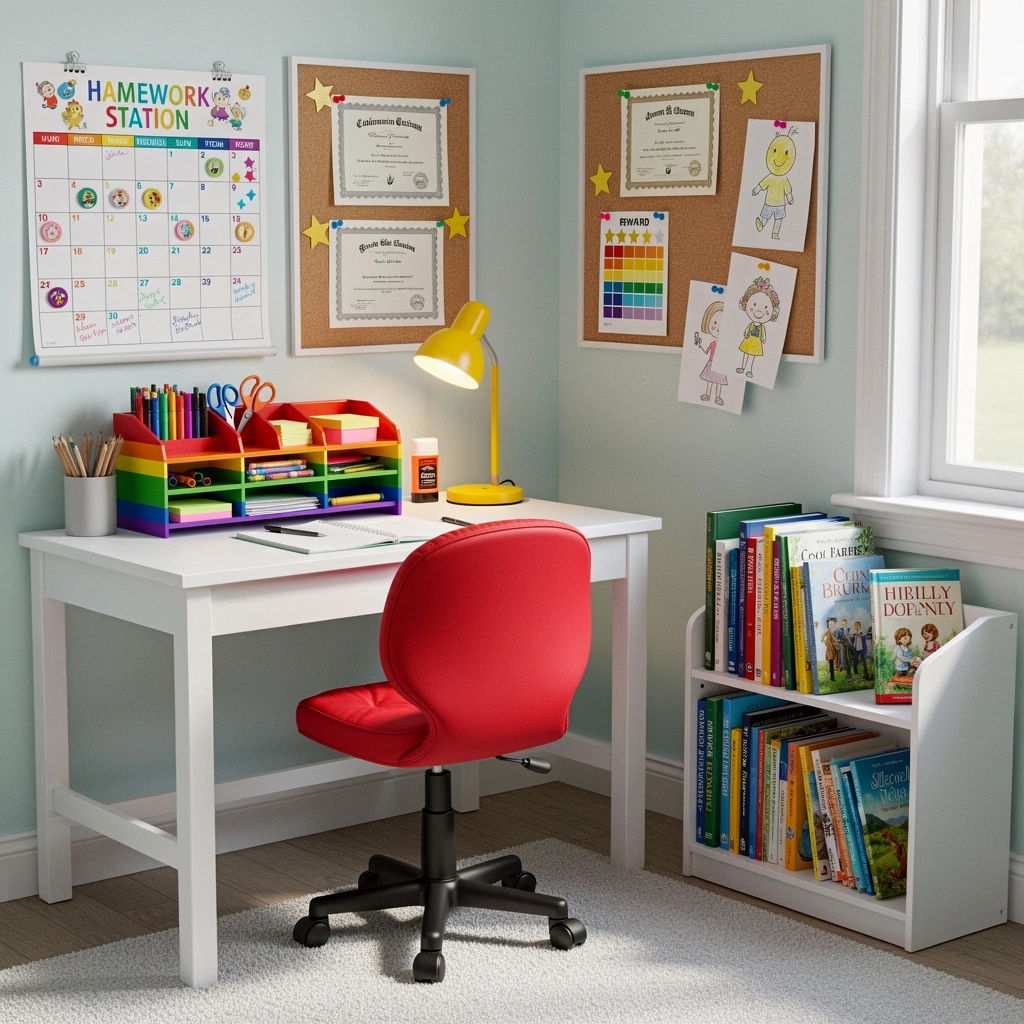
Create visible, simple organization systems. Use color-coded folders (red for math, blue for reading), clear labeled bins, and picture labels for non-readers. Keep supplies in open containers rather than closed drawers.
Select furniture scaled to body size. Adult desks force poor posture. Table height should allow feet flat on floor and arms at right angles. Adjustable chairs or footstools accommodate growth.
Incorporate movement opportunities. Wobble cushions, resistance bands attached to chair legs, or under-desk foot rollers provide sensory input that helps some children maintain focus.
Position in common areas for easy parental assistance. Kitchen nooks, dining room corners, or family room stations work better than isolated bedrooms.
Sample elementary station layout:
- Small desk or table (24″ x 36″)
- Adjustable chair with footrest
- Desktop organizer with frequently used supplies
- Wall-mounted calendar with sticker system for completed assignments
- Bulletin board at eye level for current assignments
- Basket for library books
- Timer for time awareness
- Washable desk mat for art projects
Middle School (6-8)
Developmental characteristics:
- Longer attention spans (30-45 minutes)
- Increasing digital assignments
- Multiple subjects with different requirements
- Growing need for independence
- Developing executive function skills
- Social sensitivity to space aesthetics
Setup priorities:
Transition to more sophisticated organization. Multiple folders, subject dividers, and assignment tracking systems replace simple bins. Teach filing systems for completed work.
Integrate technology appropriately. Stations need laptop space, charging capabilities, and cable management. Consider monitor height adjusters or laptop stands to prevent neck strain.
Balance independence and supervision. Bedrooms work if parents do periodic check-ins. Quieter common areas (home offices, guest rooms) provide separation from younger siblings.
Allow personal expression within functional boundaries. Students this age care about aesthetics. Let them choose color schemes, desk accessories, and organizational tools to build ownership.
Sample middle school station layout:
- Standard desk (30″ x 48″)
- Ergonomic chair with lumbar support
- Desk lamp with adjustable arm
- Laptop stand or monitor riser
- Three-tier paper tray (incoming work, current projects, completed work)
- Desk organizer with subject-specific supplies
- Wall calendar plus digital calendar for redundancy
- Bulletin board for assignment rubrics and schedules
- Charging station for devices
- Small bookshelf for textbooks and reference materials
High School (9-12)
Developmental characteristics:
- Adult-level attention spans (60+ minutes)
- Heavy digital workload
- Research projects requiring multiple resources
- Late-night study sessions
- Preparation for college independence
- Part-time jobs or extracurriculars affecting schedules
Setup priorities:
Create professional-grade workspaces. Stations should accommodate multiple screens, research books, and complex project materials simultaneously.
Optimize for digital work. Monitor positioning, blue light considerations, and ergonomic keyboard/mouse placement prevent repetitive strain. Cable management systems keep technology organized.
Support varied schedules. Adequate task lighting allows late-night work without disturbing others. Quiet locations reduce family conflicts about noise.
Prepare for college transition. Organization systems should resemble those students will use in dorms or apartments. Teach digital file organization alongside physical systems.
Sample high school station layout:
- Large desk (30″ x 60″ minimum)
- Ergonomic chair with full adjustability
- Monitor stand or dual monitor setup
- Articulating desk lamp with dimmer
- Filing cabinet or drawer system
- Desktop organizer with professional supplies
- Large bulletin board or whiteboard for project planning
- Bookshelf for textbooks and personal reading
- High-quality surge protector with USB ports
- Noise-canceling headphones
- Small plant or personal décor items
College and Adult Learners
Developmental characteristics:
- Self-directed learning
- Complex, long-term projects
- Professional skill development
- Limited living space (dorms, apartments)
- Multiple competing priorities
- Need for mental separation from living areas
Setup priorities:
Maximize limited space efficiently. Wall-mounted desks, floating shelves, and vertical storage solutions create functional workspaces in small rooms.
Create psychological boundaries. When bedrooms serve as study spaces, visual or physical barriers (room dividers, curtains, strategic furniture placement) help separate work from relaxation zones.
Support digital workflows. Cloud storage, digital note-taking systems, and organized file structures reduce physical paper accumulation.
Invest in ergonomic quality. Adults spend more consecutive hours at desks. Quality chairs, monitor arms, and keyboard trays prevent chronic pain and productivity loss.
Sample college/adult station layout:
- Wall-mounted or floating desk (24″ x 48″)
- High-quality ergonomic chair
- Monitor arm for adjustable screen positioning
- Task lighting with color temperature adjustment
- Minimal desktop footprint with vertical storage
- Digital organization system (cloud folders, note-taking apps)
- Whiteboard or digital project management tool
- Comfortable temperature control
- Personal touches that don’t sacrifice function
Furniture Selection Guide
Furniture represents the largest investment in homework station setup. Understanding options by budget and space constraints helps families make informed decisions.
Desk Options by Space and Budget
Budget-friendly solutions ($0-$75):
Repurposed furniture creates free or low-cost work surfaces. Dining tables, kitchen counters, console tables, or refinished thrift store desks work well. Add plywood cut to size across two filing cabinets for adjustable-height DIY desks.
Folding tables ($30-$60) provide temporary solutions for tight budgets. Choose models with reinforced legs to prevent wobbling.
Mid-range options ($75-$250):
Basic student desks with built-in storage offer good value. Look for models with keyboard trays (useful even for non-computer work), file drawers, and sturdy construction.
Corner desks maximize space in small bedrooms. L-shaped designs provide more work surface than their footprint suggests.
Wall-mounted drop-down desks ($100-$200) disappear when not in use, ideal for multi-purpose rooms or small spaces.
Premium solutions ($250+):
Adjustable standing desks accommodate growth and allow position changes that some students find helpful for focus. Electric models allow easy transitions; manual crank versions cost less.
Hutch desks with upper storage keep supplies organized while maximizing vertical space. Choose models with closed cabinets to reduce visual clutter.
Built-in desk systems create custom solutions for awkward spaces (under stairs, closet conversions, window nooks). These require professional installation but maximize challenging areas.
Key selection criteria:
- Stability (no wobbling, especially important for younger children who lean)
- Work surface size (minimum 24″ deep, 36″ wide; larger for high school and up)
- Storage integration (drawers, shelves, or hutches reduce need for additional furniture)
- Growth accommodation (adjustable height or timeless design that works through multiple grades)
- Assembly difficulty (some inexpensive desks have frustratingly complex assembly)
Ergonomic Chair Requirements
Chairs directly impact focus duration and physical comfort. Poor seating causes fidgeting, slouching, and fatigue.
Essential features for student chairs:
- Seat height adjustment: Allows feet flat on floor or footrest with thighs parallel to ground
- Back support: Lumbar support prevents slouching and back pain
- Seat depth: 2-3 inches between seat edge and back of knees prevents circulation problems
- Appropriate seat width: Hips fit comfortably without perching on edge
- Five-point base: Prevents tipping during movement
- Breathable materials: Mesh backs reduce sweating during long study sessions
Budget-friendly options:
Add lumbar support to existing chairs with rolled towels or small pillows. Footstools compensate for chairs too tall for proper foot placement. Kitchen chairs with backs work better than backless stools.
Mid-range solutions ($75-$150):
Basic ergonomic office chairs with height adjustment and lumbar support meet most student needs. Mesh-back models provide better airflow than fabric or leather.
Premium options ($150+):
Fully adjustable chairs with independent seat and back angle controls, adjustable armrests, and headrests provide maximum customization. Beneficial for students with attention challenges who benefit from fidget-friendly chairs with flexible backs.
Alternative seating:
Some students focus better with movement. Options include:
- Wobble stools that engage core muscles
- Balance ball chairs (choose models with bases to prevent rolling)
- Standing desk converters for position variation
- Floor cushions for students who prefer low seating
Test alternative seating to ensure it helps rather than distracts. What works for one child may completely derail another.
Storage Solutions
Organization systems reduce cognitive load and prevent supply-related task delays.
Desktop organizers:
Tiered caddies keep frequently used supplies visible and accessible. Choose models with compartments sized for actual items (many have sections too narrow for standard scissors or calculators).
Rotating organizers work well in corner setups, providing access to many supplies in a small footprint.
Drawer systems:
Rolling drawer units fit under desks and can be moved for cleaning. Three-drawer models typically provide enough separation for supplies, paper, and personal items.
Drawer dividers prevent the “junk drawer” effect where everything tangles together.
Vertical storage:
Wall-mounted shelves, pegboards, or hanging file systems use vertical space efficiently. Particularly valuable in small rooms where floor space is limited.
Floating shelves above desks hold reference books, project supplies, or decorative items that personalize the space.
Backpack stations:
Hooks, cubbies, or dedicated areas near the homework station create landing zones for school bags. This proximity prevents the “stuff is in my backpack somewhere else in the house” problem.
Include space for lunch boxes, jackets, and sports equipment if the homework station also functions as a school preparation area.
Lighting Your Homework Station Correctly
Lighting science reveals that brightness, color temperature, and positioning dramatically impact eye strain, alertness, and reading comprehension.
The Science of Study Lighting
Human eyes evolved for outdoor environments with approximately 10,000 lux brightness. Indoor spaces typically provide only 100-300 lux, forcing eyes to work harder to see detail.
Reading, writing, and screen work require 300-500 lux at the task surface. Insufficient lighting causes:
- Eye strain and headaches
- Reduced reading speed
- Increased errors in detailed work
- Faster fatigue
- Postural problems (leaning close to see better)
Color temperature also matters. Measured in Kelvin (K):
- Warm light (2700-3000K): Yellowish tones that promote relaxation, appropriate for bedrooms at night but not ideal for homework
- Neutral light (3500-4100K): Balanced white light suitable for general use
- Cool light (5000-6500K): Bluish-white tones that enhance alertness and color accuracy, best for detailed academic work
Circadian rhythm considerations:
Blue-spectrum cool light suppresses melatonin production, increasing alertness. This makes it excellent for daytime homework but problematic for evening sessions that happen close to bedtime. Students doing late-night homework might use warmer light after 8 PM to avoid sleep disruption.
Practical Lighting Solutions
Task lighting (essential):
Desk lamps provide focused illumination on work surfaces. Requirements:
- Minimum 500 lumens output (approximately 60-watt LED equivalent)
- Adjustable arm or head for positioning
- Light source positioned to the side opposite the dominant hand (prevents shadow on work)
- Stable base that won’t tip if bumped
LED lamps offer energy efficiency and cool operation (won’t overheat next to papers).
Ambient lighting (supporting):
Overhead room lights or floor lamps provide general illumination that prevents harsh contrast between the bright desk and dark surroundings. This contrast forces eyes to constantly readjust, causing fatigue.
Screen lighting (specialized):
Monitor backlighting or bias lighting reduces eye strain during computer work. USB-powered LED strips behind monitors create a soft glow that minimizes screen-to-background contrast.
Position screens to avoid glare from windows or overhead lights. Screens should be perpendicular to windows, not facing or backing them.
Budget lighting strategies:
Affordable LED desk lamps ($20-$40) provide adequate brightness. Avoid vintage incandescent lamps, which waste energy and create excessive heat.
Clip-on lights work well for small spaces or multi-purpose areas where permanent desk lamps don’t fit.
Common Lighting Mistakes
Overhead lighting only: Creates shadows and insufficient brightness for detailed work. Always add task lighting.
Light behind student: Causes shadow on work surface and screen glare. Position light to the side.
Warm yellow bulbs: Create relaxing atmosphere but reduce alertness and color accuracy for schoolwork. Save for bedside lamps.
Insufficient brightness: If students lean close to see, squint frequently, or complain about headaches, lighting is inadequate.
No ambient lighting: Using only task lighting creates harsh contrast that fatigues eyes. Add gentle background illumination.
Organization Systems That Actually Work
Organization reduces decision fatigue, prevents supply-related delays, and teaches executive function skills. Effective systems match student developmental level and household routines.
Supply Management
The “everything in its place” principle:
When scissors have a designated spot, students spend zero mental energy remembering where they go. This automaticity extends to assignment materials, textbooks, and completed work.
Implementation strategies:
Label everything initially. Even older students benefit from labels during system setup. Once habits form, labels can be removed.
Use transparent or open storage for items students need to see. Closed drawers work for backup supplies; primary tools should be visible.
Keep frequently used items within arm’s reach. Rarely used supplies (specialty art materials, extra notebooks) can go on higher shelves or in closets.
Supply categories:
Organize by function:
- Writing instruments: Pencils, pens, highlighters, erasers, sharpeners
- Paper products: Notebooks, loose-leaf paper, printer paper, index cards
- Tools: Scissors, rulers, staplers, hole punches, tape, glue
- Subject-specific: Calculators, protractors, colored pencils, flash cards
- Technology: Chargers, headphones, mouse, stylus
- Reference: Dictionary, thesaurus, subject quick-reference guides
Restocking systems:
Create a “supply check” routine weekly. Sunday evenings work well for most families. Students identify items running low, and parents can replenish before the school week begins.
Maintain backup supplies in a separate location (closet, cabinet) to refill desk organizers without emergency store runs.
Paper Flow Systems
Paper accumulation creates visual chaos. Effective flow systems prevent piles from forming.
Three-category approach:
- Incoming: Assignments not yet started, papers from school
- Active: Current work in progress
- Completed: Finished assignments awaiting return to school or filing
Physical trays, folders, or bins for each category create visible separation.
Processing rules:
Papers move in only one direction: incoming → active → completed → filed or discarded. Items never flow backward, which prevents the “shuffle papers around without actually dealing with them” pattern.
Weekly review:
Friday afternoons or Sunday evenings, students review all three categories:
- Move completed work to appropriate subject folders
- Assess active projects and schedule time for upcoming week
- Clear incoming papers into active status with plan for completion
Long-term storage:
For work that needs to be kept (graded essays, major projects, report cards), use:
- Binders with subject dividers
- Accordion folders with monthly or unit sections
- File boxes with hanging folders
Many families digitize important papers (scan or photograph) and recycle originals to reduce physical storage needs.
Digital Organization
Students with devices need digital file systems as organized as physical spaces.
Folder structure:
Create parallel organization:
- School Year folder
- Subject folders (Math, English, Science, etc.)
- Unit or topic subfolders
- Assignment files named with dates (2027-03-15_essay_draft.docx)
- Subject folders (Math, English, Science, etc.)
Consistent naming conventions allow quick retrieval.
Cloud backup:
Store schoolwork in cloud services (Google Drive, OneDrive, Dropbox) with appropriate school accounts. This prevents “my laptop died and I lost everything” disasters.
Teach version control: save major drafts with version numbers or dates rather than overwriting.
Bookmark organization:
Use browser bookmark folders for research projects, frequently referenced sites, and educational resources. Organize by subject or project.
Email management:
Older students should create folders for school emails, separate from personal messages. Flag or star assignment-related emails for easy reference.
Photo organization:
Students often photograph whiteboard notes or assignment instructions. Create a phone folder specifically for school photos, separate from personal images. Review and delete weekly after transferring important items to notes or documents.
Managing Distractions and Noise
Environmental distractions consume attention resources. Strategic design reduces their impact.
Visual Distractions
Field of view management:
Position desks facing walls rather than windows with active views (streets, playgrounds, neighbor activity). Walls provide stable backgrounds that don’t trigger attention shifts.
Use solid colors in the immediate work area. Busy patterns, posters with text, or visually complex decorations pull focus from assignments.
Digital distractions:
For students with devices, screen visibility matters. Younger students benefit from stations where parents can see screens. Browser extensions can block distracting websites during homework time.
Keep entertainment devices (gaming systems, tablets used for recreation, TVs) completely separate from homework areas, ideally in different rooms.
Storage visibility:
Clear bins let students see contents, which helps retrieval but also creates visual noise. Balance accessibility with distraction:
- Use clear storage for current supplies
- Use opaque containers for backup inventory or seasonal items
- Face open shelving away from the desk sight line when possible
Noise Control
Ambient noise impact:
Conversation, television, music with lyrics, and unpredictable sounds (siblings playing, traffic) all reduce comprehension and increase time-on-task. Students may appear to work with background noise but processing efficiency drops measurably.
Noise reduction strategies:
Physical barriers: Closing doors reduces noise by 15-25 decibels. Weatherstripping around bedroom doors increases sound blocking.
Sound absorption: Soft materials (curtains, rugs, upholstered furniture, wall hangings) absorb sound better than hard surfaces. Homework stations in carpeted rooms with fabric window treatments have better sound environments than those in rooms with hardwood floors and blinds.
White noise: Consistent background sound (fans, white noise machines, brown noise apps) masks intermittent noises that trigger attention shifts. The predictability allows brains to filter it out while blocking other sounds.
Noise-canceling headphones: Active noise cancellation works well for consistent sounds (HVAC, traffic). Passive noise reduction (closed-ear headphones) helps with general household noise.
Strategic timing: When possible, schedule homework during quieter household periods (before younger siblings get home, after dinner cleanup, before morning chaos).
Household Noise Agreements
Family quiet hours:
Establishing household expectations reduces conflicts. Examples:
- 4-6 PM weekdays: TV volume low, conversations in rooms with closed doors
- Homework happening sign on door means knock before entering
- Headphone use for screens during homework hours
Sibling coordination:
In shared spaces, stagger homework times when possible. Younger children do assignments first (shorter duration), older students start when littles are finished.
In shared bedrooms, one child uses the desk while the other does homework in a common area, then swap.
Small Space Homework Station Solutions
Limited square footage doesn’t prevent effective homework stations. Strategic design maximizes function within constraints.
Space-Efficient Furniture
Wall-mounted desks:
Floating desks attach to walls without floor-based legs. Models range from simple shelves with brackets ($30-$50) to fold-down desks with storage ($100-$300).
Fold-down designs disappear completely when not in use, reclaiming floor space in multi-purpose rooms.
Corner utilization:
Corner desks create work surfaces larger than their footprint suggests. An L-shaped desk in a corner provides two work zones (computer area and writing area) while occupying otherwise wasted space.
Vertical storage:
Tall bookcases, wall-mounted shelving, and pegboard systems provide organization without consuming floor space. Floating shelves above desks hold supplies and books.
Multi-purpose furniture:
Dresser-desk hybrids combine clothing storage with work surfaces. The desk portion folds up or slides out when needed.
Closet Conversions
Reach-in closets (24″ deep) convert into compact homework stations:
- Remove closet doors or replace with curtains
- Install desk surface at appropriate height (check ergonomics)
- Add lighting (battery-powered LED strips if wiring isn’t available)
- Mount shelves on side walls for storage
- Use vertical organizers on back wall
Benefits: Dedicated space that can be closed off, built-in boundaries, existing structure to anchor furniture.
Challenges: Ventilation (add small fan if needed), lighting (require additional task lighting), depth limitations (24″ works but feels tight).
Shared Bedroom Strategies
Physical dividers:
Bookshelves, curtains, or folding screens create visual separation between sleep zones and homework zones. This psychological boundary helps maintain the focus association with the workspace.
Bunk bed integration:
Loft beds with desks underneath (often called “loft bed workstations”) combine sleeping and studying in a vertical footprint. The elevated bed creates a defined homework zone below.
Schedule coordination:
When two students share one desk, create time-sharing agreements:
- Alternating days
- One child uses 4-5:30 PM, other uses 6-7:30 PM
- Younger child goes first (shorter homework duration), older follows
Murphy Desk Solutions
Murphy desks fold up against walls like Murphy beds. When closed, they resemble cabinets or wall art. When opened, they provide full desk functionality.
Cost ranges from $200 (basic DIY kits) to $1000+ (custom built-ins). Best for:
- Studio apartments
- Multi-purpose guest rooms
- Small bedrooms where permanent desks overwhelm the space
Multi-Child Setup Strategies
Families with multiple students face logistical challenges: limited space, different schedules, varied age needs, and supply conflicts.
Individual Stations vs. Shared Stations
Individual stations (preferred when possible):
Each child has designated furniture, supplies, and organization systems. Benefits include:
- No territorial conflicts
- Age-appropriate furniture and storage
- Personal responsibility for maintenance
- Simultaneous homework possible
Challenges: Requires more space and furniture investment.
Shared stations (necessary in constrained spaces):
Multiple students use the same desk and storage. Benefits include:
- Lower furniture costs
- Smaller footprint
- Simplified supply purchasing
Challenges: Scheduling conflicts, supply “borrowing” disputes, harder to maintain organization, furniture may not fit all ages ergonomically.
Making Shared Stations Work
Time scheduling:
Create homework time blocks by child:
- Child A: 4-5 PM
- Child B: 5-6 PM
- Child C: 6-7 PM
Post schedule visibly. Use timers to signal transitions.
Personal supply boxes:
Each child gets a labeled supply caddy with their name. Contents include writing instruments, scissors, personal calculator, etc. Caddies store on shelves when not in use and come to the desk during assigned time.
Shared supplies (staplers, hole punches, reference books) remain at the station.
Individual storage zones:
Dedicate specific shelves, drawers, or bins to each child for their papers, textbooks, and projects. Color-coding helps: red bin for Maria, blue for James, green for Sarah.
Furniture compromises:
Adjustable-height chairs accommodate size differences. Add or remove footstools as children rotate through.
For desks, choose height appropriate for the middle child. Older students can use slightly low desks more easily than younger children can use too-high surfaces.
Side-by-Side Stations
When space allows, position two desks next to each other. This arrangement:
- Allows simultaneous homework
- Provides some supervision (older child can help younger)
- Creates defined personal zones
- Reduces scheduling complexity
Add a small divider (desktop organizer, small shelf) between workspaces to reduce the temptation to watch what the sibling is doing.
Hybrid Approaches
Some families find success with:
- Primary station in common area for younger elementary students
- Secondary station in shared bedroom for older students
- Rotation system where students start homework in common area with parental support, then move to bedroom for independent completion
Flexibility helps families adapt as children grow and needs change.
Budget Tiers: $50, $200, and $500+ Setups
Effective homework stations work at every price point. Strategic spending focuses on essentials first, upgrades later.
$50 Budget Setup
Furniture:
- Folding table ($35) or repurposed furniture ($0)
- Kitchen chair with cushion added for lumbar support ($0)
- Crate or cardboard box for footrest if needed ($0-$5)
Lighting:
- Basic LED desk lamp ($15-$20)
Organization:
- Dollar store desk organizer ($3)
- Shoebox or cereal box covered in paper for vertical file holder ($0)
- Mason jars or tin cans for supply storage ($0)
- Binder clips attached to desk edge to hold charging cables ($1)
Supplies:
- School supply list items purchased at back-to-school sales ($15-$25)
Total: ~$50
This setup provides functional basics: stable work surface, task lighting, organized supplies. Aesthetics are minimal but functionality works.
$200 Budget Setup
Furniture:
- Basic student desk with drawer ($80-$100)
- Entry-level ergonomic chair with height adjustment ($60-$80)
Lighting:
- Adjustable LED desk lamp with brightness levels ($25-$35)
Organization:
- Desktop organizer with multiple compartments ($15)
- Three-drawer rolling cart ($25)
- Wall-mounted bulletin board or whiteboard ($15)
- Monthly calendar ($8)
Technology:
- Power strip with surge protection ($12)
- Cable management clips ($8)
Supplies:
- Comprehensive supply set with quality items ($35)
Total: ~$200
This tier includes ergonomic improvements, better storage capacity, and technology integration. Stations at this level handle all typical homework needs comfortably.
$500+ Budget Setup
Furniture:
- Quality desk with hutch or extensive storage ($200-$300)
- Fully adjustable ergonomic chair ($150-$250)
- Bookshelf or additional storage unit ($75-$100)
Lighting:
- High-quality adjustable task lamp with color temperature control ($60-$80)
- Monitor light bar or bias lighting ($40)
Organization:
- Professional desk organizer system ($40)
- Filing cabinet ($80)
- Modular wall organization system ($60)
- Dry-erase calendar system ($30)
Technology:
- Monitor stand or laptop riser ($40)
- Quality surge protector with USB charging ($35)
- Cable management system ($25)
- Noise-canceling headphones ($100-$200)
Environmental:
- Small air purifier ($60)
- Desk plant and décor ($30)
Supplies:
- Premium supplies with backup inventory ($60)
Total: ~$500-$700
Premium setups provide maximum comfort, extensive organization, technology optimization, and environmental quality. These stations support long study sessions and grow with students through multiple grades.
Budget Prioritization
If you can only afford one upgrade, choose:
- Task lighting – Single biggest impact on eye strain and focus
- Ergonomic chair – Prevents physical discomfort that breaks concentration
- Organization systems – Reduces cognitive load and task-switching delays
Free or nearly-free improvements:
- Declutter existing space
- Reposition furniture to improve lighting or reduce distractions
- Create labeling systems with masking tape and markers
- Establish routines around supply restocking and paper management
Technology Integration and Screen Management
Modern homework requires technology. Effective integration balances access with distraction control.
Device Positioning
Screen height:
Monitor tops should align with or slightly below eye level. Looking downward 10-20 degrees reduces neck strain compared to looking up at screens.
Laptop users need stands or risers. Working on laptops flat on desks forces 40+ degree neck flexion, causing pain and postural problems.
Screen distance:
Position screens 20-26 inches from eyes (approximately arm’s length). Closer distances increase eye strain; farther distances force squinting or leaning.
Glare reduction:
Position screens perpendicular to windows. Never place screens directly facing windows (causes glare) or with windows behind (creates backlight that reduces contrast).
Matte screen protectors reduce reflections on glossy displays.
Charging Solutions
Centralized charging station:
Designate one area for all device charging. This prevents cable sprawl and the “where’s my charger” frustration.
Power strips mounted to desk undersides or walls keep cables organized. Use velcro cable ties or clips to prevent tangling.
Cable management:
Run cables along desk edges or legs using adhesive clips. Bundled cables look cleaner and prevent accidental disconnections.
Leave slight slack in cables to allow device movement without tugging connections.
Internet Access
WiFi signal strength:
Test signal at the homework station. Weak signals cause lag and disconnections that interrupt work flow. Solutions:
- Relocate router closer to homework area
- Add WiFi extender or mesh network node
- Use ethernet cable for stationary desktop setups
Content filtering:
Network-level filtering (router settings, Disney Circle, Bark) blocks inappropriate sites across all devices. Particularly important for younger students.
Browser extensions provide additional control over specific devices:
- Block site lists during homework hours
- Time limits on entertainment sites
- Focus mode apps that restrict access to educational sites only
Screen Time Balancing
The 20-20-20 rule:
Every 20 minutes, look at something 20 feet away for 20 seconds. This eye exercise reduces digital eye strain.
Blue light management:
Evening screen use suppresses melatonin. For homework after 7 PM:
- Enable night mode/blue light filters on devices
- Use warmer color temperature (3000-3500K) task lighting
- Take breaks to minimize total screen exposure before bed
Printed alternatives:
When possible, read long passages on paper rather than screens. Print articles for annotation, use physical books for research, write drafts by hand before typing. These alternatives reduce screen time and often improve comprehension.
Device-Specific Considerations
Tablets:
Require stands to achieve proper viewing angles. Flat-on-desk use creates poor posture. External keyboards improve typing ergonomics for longer assignments.
Chromebooks:
School-issued devices often have content filtering pre-installed. Parents should understand what’s already controlled vs. what needs home-based management.
Battery life varies. Ensure charging happens during breaks or overnight, not during homework time when connection loss interrupts work.
Smartphones:
Remove from homework station entirely when possible. The presence of phones, even face-down, reduces cognitive capacity measurably (called “brain drain”).
If phones are needed for specific apps or calculator functions, use app timers and do-not-disturb modes to prevent notification interruptions.
Personalizing the Space for Ownership
Students who feel ownership of their homework stations use them voluntarily and maintain organization better than those assigned to generic setups.
Age-Appropriate Participation
Elementary students:
Let children choose:
- Desk mat or pad design
- Supply organizer colors
- Bulletin board decorations
- One special decoration item (figurine, photo, small plant)
Provide options rather than unlimited freedom: “Would you like the red organizer or the blue one?” This gives choice within functional boundaries.
Middle school students:
Involve in:
- Overall color scheme selection
- Organization system design (what types of containers, folder systems)
- Furniture arrangement within the designated space
- Wall décor selection (motivational quotes, achievement displays)
Allow more independence but maintain functional requirements (adequate lighting, ergonomic furniture positioning).
High school students:
Give substantial control over:
- Space design and layout
- Organization systems
- Décor and personalization
- Technology setup and cable management
Parents provide budget and space boundaries; students design within those constraints.
Functional Personalization
Personalization should enhance focus, not distract:
Motivational elements:
- Achievement displays (medals, certificates, honor roll recognition)
- Goal boards with visual progress tracking
- Inspirational quotes (limited to 1-2, selected by student)
- Photos of people who inspire the student
Sensory preferences:
- Favorite color accents in organization tools
- Preferred desk surface (smooth, textured, with mat)
- Selected task lighting style (modern, classic, colorful)
- Chosen seating type (standard chair, wobble stool, ball chair)
Avoid distraction triggers:
- Toys or collectibles in immediate sight line
- Busy patterns or visually complex posters
- Excessive decorations creating visual clutter
- Items unrelated to academics or goals
Evolving the Space
Homework stations should adapt as students grow. Annual reviews (summer or winter break) assess:
- Furniture fit (has student grown?)
- Organization system effectiveness (what’s working, what’s not?)
- Supply needs (changing as grade level increases)
- Technology requirements (new devices, changing assignments)
- Personal preferences (mature tastes, new interests)
Involving students in evolution decisions maintains their ownership and teaches evaluation skills.
Maintenance and Long-Term Success
Initial setup represents only the beginning. Sustained success requires maintenance systems.
Daily Maintenance
End-of-homework-session routine (5 minutes):
- Return all supplies to designated locations
- File or organize papers from the session
- Clear desk surface of everything except lamp and organizers
- Plug in devices for charging
- Review next day’s assignments and gather needed materials
This brief routine prevents accumulation and keeps the station ready for next use.
Weekly Maintenance
Sunday evening setup (15 minutes):
- Supply inventory check (what’s running low?)
- Paper purge (recycle unnecessary papers, file important ones)
- Wipe desk surface and keyboard
- Reorganize any areas that became messy during the week
- Plan the week’s homework schedule
Weekly resets prevent long-term degradation of systems.
Monthly Deep Maintenance
Once monthly (30-45 minutes):
- Complete decluttering of all storage areas
- Assess organization system effectiveness
- Dust and clean thoroughly
- Check furniture condition (tighten screws, adjust height if needed)
- Update bulletin boards or calendar systems
- Restock backup supplies
Seasonal Adjustments
Beginning and end of school year:
Start of year:
- Assess if furniture still fits student (height changes)
- Update organization for new grade level requirements
- Refresh any worn-out supplies or furniture
- Adjust lighting as daylight patterns change
- Involve student in any needed redesigns
End of year:
- Archive completed schoolwork
- Deep clean and organize
- Remove grade-specific materials no longer needed
- Repair or replace damaged furniture or supplies
- Plan summer improvements if needed
Building Sustainable Habits
Habit stacking:
Connect homework station maintenance to existing habits:
- “After completing homework, I spend 5 minutes organizing before dinner”
- “During Sunday meal prep, students do weekly desk organization”
- “On first day of month, we deep-clean stations before family movie night”
Accountability systems:
For younger students, checklists with parent verification keep maintenance consistent. Older students can self-monitor with periodic parental check-ins.
Natural consequences:
Allow students to experience the consequences of poor maintenance (can’t find supplies, wasted time searching, frustration) rather than constant parental reminders. This builds intrinsic motivation for organization.
Celebrate systems that work:
When students maintain organization consistently, acknowledge the effort. Positive reinforcement strengthens habits better than criticizing lapses.
Common Mistakes to Avoid
Learning from typical pitfalls saves time and money.
Setup Mistakes
Wrong furniture size:
Adult-sized desks and chairs force poor posture for elementary and middle school students. Measure student height and choose proportional furniture or use adjustable options.
Insufficient lighting:
Relying only on overhead lights creates shadows and eye strain. Always add task lighting directly at the work surface.
Too much storage too far away:
Organization systems work only when supplies are within easy reach. Placing frequently used items on high shelves or in closets across the room guarantees they won’t be returned to proper locations.
Overcomplicated organization:
Systems with too many categories, intricate filing schemes, or labor-intensive maintenance fail quickly. Simple, obvious organization outlasts complex systems.
Ignoring ergonomics:
Focusing entirely on aesthetics while disregarding proper furniture height, lighting position, and screen placement creates discomfort that reduces homework station use.
Behavioral Mistakes
Not involving students in design:
Homework stations imposed without student input face resistance. Even young children benefit from participating in setup decisions.
Inconsistent expectations:
Requiring desk organization sometimes but not others confuses students and prevents habit formation. Consistent expectations (daily surface clearing, weekly supply check) build automatic routines.
Using homework station for punishment:
Sending students to their homework area as discipline creates negative associations that undermine its effectiveness as a productive space.
Allowing entertainment device creep:
Gaming systems, tablets used for recreation, or phones that migrate into homework areas introduce distractions that overwhelm even well-designed stations.
Parent over-involvement:
Hovering prevents independence development. After initial setup and habit formation, gradually reduce direct supervision to build self-management skills.
Maintenance Mistakes
Tolerating gradual decay:
Small messes accumulate. Papers pile up, supplies migrate, organization breaks down. Without regular maintenance, even excellent initial setups become dysfunctional.
Not adjusting for growth:
Students change rapidly. Furniture that fit in September may be too small by April. Regular assessments prevent discomfort from outgrown furniture.
Keeping non-functional systems:
If an organization method isn’t working after several weeks of consistent effort, change it rather than forcing compliance with something poorly matched to the student’s natural habits.
Neglecting supplies:
Running out of basic supplies (paper, pencils, printer ink) during homework sessions creates frustration and interruptions. Maintain backup inventory and restock proactively.
Troubleshooting Resistance and Low Usage
Even well-designed homework stations sometimes face student resistance. Systematic troubleshooting identifies and resolves underlying problems.
Diagnostic Questions
When students avoid their homework stations, investigate:
Physical comfort:
- Does the chair cause discomfort after 15-20 minutes?
- Is lighting causing headaches or eye strain?
- Is the temperature uncomfortable (too cold, too hot, drafty)?
- Can the student reach all necessary supplies without leaving the chair?
Environmental factors:
- Are there distracting noises the student can’t control?
- Do visual distractions pull attention away from work?
- Is the location too isolated (lonely) or too public (no privacy)?
- Does the space feel too childish or not age-appropriate?
Functional issues:
- Is the desk surface too small for typical assignments?
- Are supplies disorganized or hard to find?
- Does technology work reliably (WiFi signal, charging access)?
- Is the assignment tracking system confusing or unused?
Psychological factors:
- Did the student participate in designing the space?
- Does the station feel like “theirs” or imposed by parents?
- Are there negative associations (only used when in trouble)?
- Is homework resistance actually about the work, not the space?
Common Problems and Solutions
Problem: “My neck/back hurts when I work there”
Solution: Check ergonomics. Measure desk height (elbows 90° when seated), chair back support (lumbar curve supported), feet position (flat on floor or footrest), and screen height (top at or slightly below eye level). Adjust furniture or add supports as needed.
Problem: “I can’t concentrate there”
Solution: Assess distractions. Remove entertainment items from sight line, add noise control (white noise, door closing, quiet hours), reposition desk to face blank wall rather than window. For some students, moving the station location resolves this entirely.
Problem: “I can’t find my stuff”
Solution: Simplify organization. Reduce categories, use visual labels, ensure supply homes are obvious. Spend a week helping student return items to practice the system until automatic.
Problem: “It’s boring/ugly/babyish”
Solution: Age-appropriate redesign. Involve student in selecting new décor, organizational tools, or furniture arrangement. Even small changes student controls increase ownership and use.
Problem: “There’s not enough room for my projects”
Solution: Expand work surface with temporary additions (cutting board across drawer, extension surface that folds up, cleared adjacent area for large projects). Reassess if desk size needs upgrading.
Problem: “I still like doing homework at the kitchen table”
Solution: For some students, this isn’t actually a problem. If kitchen table work happens efficiently with good focus, the preference may be legitimate. Consider making the kitchen location more functional rather than forcing bedroom station use. Other students genuinely need company and passive supervision to stay on task.
When to Seek Additional Support
If homework resistance continues despite optimal environmental setup, the issue may extend beyond the physical space:
- Learning difficulties requiring educational evaluation
- Attention or executive function challenges needing professional assessment
- Anxiety or perfectionism interfering with task initiation
- Assignment difficulty beyond current skill level
- Inadequate instruction at school
Homework stations solve environment-based problems. They can’t compensate for underlying learning, attention, or instructional issues requiring different interventions.
COMPARISON TABLES
Homework Station Furniture Comparison by Age Group
| Age Group | Desk Size | Chair Type | Essential Features | Optional Upgrades |
|---|---|---|---|---|
| Elementary (K-5) | 24″ x 36″ minimum | Adjustable chair with footrest | Visible supply storage, task lighting, nearby parent supervision | Wobble cushion, colorful organizers, growth chart |
| Middle School (6-8) | 30″ x 48″ minimum | Ergonomic with lumbar support | Laptop space, multiple storage zones, assignment tracking | Monitor riser, charging station, larger bulletin board |
| High School (9-12) | 30″ x 60″ minimum | Fully adjustable ergonomic | Multi-device support, filing system, professional supplies | Dual monitors, standing desk converter, acoustic panels |
| College/Adult | 24″ x 48″ minimum (space-dependent) | High-quality ergonomic | Digital workflow optimization, minimal footprint | Monitor arm, wireless charging, premium task lighting |
Budget Tier Comparison
| Component | $50 Budget | $200 Budget | $500+ Budget |
|---|---|---|---|
| Desk | Folding table or repurposed furniture | Basic student desk with drawer | Quality desk with hutch/extensive storage |
| Chair | Kitchen chair with cushion | Entry-level ergonomic chair | Fully adjustable ergonomic chair |
| Lighting | Basic LED lamp ($15-20) | Adjustable LED lamp ($25-35) | Premium lamp with color temp control ($60-80) |
| Organization | Dollar store/DIY solutions | Desktop organizer + rolling cart | Professional systems + filing cabinet |
| Technology | Basic power strip | Surge protector + cable management | Monitor stand + surge protector + quality peripherals |
| Storage | Repurposed boxes/jars | Three-drawer cart + bulletin board | Modular wall systems + bookshelf |
| Total Investment | ~$50 | ~$200 | ~$500-700 |
| Best For | Tight budgets, temporary solutions | Most families, balanced functionality | Premium comfort, long-term investment |
Lighting Comparison
| Light Type | Brightness (Lumens) | Color Temp | Best Use | Approximate Cost |
|---|---|---|---|---|
| Basic LED Desk Lamp | 300-450 | 3000-4000K | Elementary homework, budget setups | $15-25 |
| Adjustable Task Lamp | 500-800 | 4000-5000K | General student use, all ages | $30-60 |
| Premium Adjustable Lamp | 600-1000+ | 2700-6500K (adjustable) | High school, college, extended sessions | $60-120 |
| Monitor Light Bar | 500 (screen area) | 2700-6500K (adjustable) | Computer-heavy work, reduces eye strain | $40-100 |
| Clip-On Light | 200-400 | 3000-4000K | Small spaces, multi-purpose areas | $12-25 |
Organization System Comparison
| System Type | Capacity | Accessibility | Maintenance | Best For |
|---|---|---|---|---|
| Desktop Caddy | 6-12 compartments | Excellent (always visible) | Low (wipe clean) | Frequently used supplies, elementary students |
| Drawer Organizers | High (depends on drawers) | Good (requires opening) | Medium (periodic sorting) | Backup supplies, multi-category storage |
| Rolling Cart | Very high (3+ drawers) | Excellent (mobile) | Medium (can become junk collector) | Shared stations, art supplies, flexible spaces |
| Wall-Mounted Pegboard | Medium-high | Excellent (visible) | Low (dust occasionally) | Small spaces, visual organization preference |
| Filing Cabinet | Very high (long-term storage) | Fair (less convenient for daily use) | Low (monthly purge) | Paper management, completed work archives |
CHECKLISTS
Essential Homework Station Setup Checklist
Furniture:
- Desk or work surface at proper height for student
- Supportive chair with back support
- Footrest (if feet don’t reach floor)
- Storage unit (drawers, shelves, or cart)
Lighting:
- Task lamp with minimum 500 lumens
- Proper positioning (side opposite dominant hand)
- Ambient room lighting for contrast reduction
Organization:
- Supply organizer (desktop caddy or drawer dividers)
- Paper management system (trays or folders)
- Assignment tracking method (calendar or planner)
- Labels for storage categories
Supplies:
- Writing instruments (pencils, pens, erasers)
- Paper (notebooks, loose-leaf, printer)
- Basic tools (scissors, stapler, tape, glue, ruler)
- Subject-specific materials (calculator, protractor, etc.)
Technology:
- Power strip or surge protector
- Reliable internet access
- Device charging setup
- Cable management system
Environment:
- Minimal visual distractions in sight line
- Noise control strategy (door, white noise, etc.)
- Comfortable temperature
- Personal touches for ownership
Systems:
- Daily end-of-session routine established
- Weekly organization review scheduled
- Supply restocking plan in place
Weekly Homework Station Maintenance Checklist
Sunday Evening (15 minutes):
- Check supply levels (pencils, paper, etc.)
- Purge unnecessary papers from the week
- File important papers in appropriate folders
- Clear desk surface completely
- Reorganize any messy storage areas
- Wipe down desk and keyboard
- Update calendar or assignment board
- Review upcoming week’s assignments
- Restock supplies as needed
- Check that all devices are charged
New School Year Setup Checklist
Assessment (Before Shopping):
- Measure student height (check if furniture still fits)
- Review last year’s organization (what worked/didn’t work?)
- Check furniture condition (loose screws, wear)
- Assess lighting adequacy
- Evaluate technology needs (new devices?)
- Gather school supply list
Shopping/Preparation:
- Purchase grade-appropriate supplies
- Replace worn furniture if needed
- Update organization systems for new requirements
- Buy backup supply inventory
- Refresh any decorative elements
Setup:
- Deep clean entire station area
- Adjust furniture for growth
- Install new organization systems
- Stock all supplies in designated locations
- Update bulletin board for new year
- Test all technology (WiFi, charging, etc.)
- Create new assignment tracking system
- Involve student in personalizing refreshed space
Habit Re-establishment:
- Review daily routine expectations
- Practice end-of-session cleanup procedure
- Schedule first weekly maintenance session
- Set up parent check-in schedule (if needed)
DECISION FRAMEWORKS
Homework Station Location Decision Framework
Step 1: Assess Student Age and Independence Level
Elementary (K-5): Prefer common areas with passive supervision
Middle School (6-8): Transition zones (bedroom with check-ins or quiet common areas)
High School (9-12): Private spaces (bedrooms, home offices)
College/Adult: Separate from sleeping area when possible
Step 2: Evaluate Available Spaces
For each potential location, rate (1-5 scale):
- Noise level (5 = quiet, 1 = very noisy)
- Visual distractions (5 = minimal, 1 = many distractions)
- Supervision accessibility (5 = appropriate for age, 1 = too much or too little)
- Space adequacy (5 = ample room, 1 = very tight)
- Lighting potential (5 = excellent natural + artificial options, 1 = poor)
- Climate comfort (5 = well-controlled temperature, 1 = too hot/cold)
Step 3: Consider Family Dynamics
- How many students need homework space?
- What are typical homework time schedules?
- Where do conflicts currently occur?
- What supervision level does this student actually need?
Step 4: Test the Location
Before committing to furniture purchases:
- Have student do homework in proposed location for one week
- Monitor concentration, completion time, resistance levels
- Adjust location if issues arise before investing in permanent setup
Budget Allocation Decision Framework
Step 1: Determine Total Available Budget
Realistic amount: $______
Step 2: Identify Must-Have vs. Nice-to-Have
Must-have (functional essentials):
- Work surface
- Seating
- Task lighting
- Basic supply storage
- Basic organization
Nice-to-have (comfort and upgrades):
- Ergonomic chair upgrades
- Premium lighting
- Extensive storage
- Technology accessories
- Aesthetic improvements
Step 3: Allocate Percentages
Suggested allocation:
- 35-40%: Work surface (desk)
- 25-30%: Seating
- 10-15%: Lighting
- 15-20%: Organization and storage
- 5-10%: Supplies
- Remaining: Technology accessories or aesthetic touches
Step 4: Phase Implementation if Necessary
Phase 1 (Immediate): Basic furniture + lighting + essential supplies
Phase 2 (Within 3 months): Improved organization systems
Phase 3 (Within 6 months): Ergonomic upgrades or technology accessories
Phase 4 (Annual): Replacements and refreshes
Organization System Selection Framework
Step 1: Assess Student’s Natural Habits
My student naturally:
- Prefers visual organization (seeing everything)
- Prefers hidden storage (out of sight)
- Is detail-oriented (handles complex systems)
- Needs simple, obvious systems
- Maintains organization easily
- Requires frequent parent support
Step 2: Match System to Habits
Visual preference + Detail-oriented = Pegboard or clear container systems with many categories
Visual preference + Needs simplicity = Desktop caddy with 4-6 obvious compartments
Hidden storage preference + Detail-oriented = Drawer systems with dividers and labels
Hidden storage preference + Needs simplicity = Large bins with broad categories (writing, paper, tools)
Step 3: Select Specific Solutions
Based on matching above:
- Supply storage: _______________
- Paper management: _______________
- Assignment tracking: _______________
- Long-term archiving: _______________
Step 4: Test for 2-3 Weeks
Observe:
- Does student use the system without prompting?
- Do items return to their designated spots?
- Is finding supplies quick and frustration-free?
- Does the system require excessive parent intervention?
If any answer is problematic, simplify or adjust before declaring system “failed.”
FAQs
1. What is the minimum space needed for a homework station?
A functional homework station requires as little as 4-6 square feet of floor space. A wall-mounted fold-down desk measuring 24 inches wide by 18 inches deep provides adequate work surface when opened, and nearly zero footprint when closed. Corner arrangements using L-shaped desks maximize work area in small footprints. Closet conversions (reach-in closets are typically 24 inches deep) create dedicated stations in bedrooms with limited floor space. The key is vertical storage utilization—floating shelves, pegboards, and wall-mounted organizers keep supplies accessible without consuming floor area. Even students in studio apartments or shared bedrooms can create effective homework zones through strategic furniture selection and spatial planning.
2. Should homework stations be in bedrooms or common areas?
Location depends primarily on student age and self-regulation ability. Elementary students (K-5) generally perform better in common areas (kitchens, dining rooms, family rooms) where parents provide passive supervision, answer questions, and redirect off-task behavior. The social presence often reduces resistance and helps young children initiate tasks. Middle school students (6-8) transition well to quieter common areas or bedrooms with periodic parental check-ins, balancing independence development with needed support. High school students (9-12) typically benefit from private spaces where they can concentrate on complex assignments without interruption. However, individual differences matter more than age. Students with attention challenges, executive function difficulties, or strong screen distraction tendencies may need common-area stations with visible device screens regardless of age. Trial periods in proposed locations reveal what works for your specific student.
3. How much should I budget for a homework station setup?
Functional homework stations can be created for $50-$75 using repurposed furniture (existing tables, kitchen chairs), dollar store organizers, and basic LED desk lamps. Mid-range setups ($150-$250) include purpose-built student desks with storage, entry-level ergonomic chairs, quality task lighting, and comprehensive organization systems—adequate for most families. Premium stations ($500-$700) feature adjustable furniture that grows with students, advanced ergonomic seating, technology integration (monitor stands, charging systems), extensive storage, and environmental controls. Budget priorities should emphasize lighting first (greatest impact on eye strain and focus), then ergonomic seating (prevents discomfort-driven distraction), then organization systems (reduces cognitive load). Furniture can be budget-friendly if it meets height and stability requirements. Many families successfully phase implementation, starting with essentials and upgrading components as budget allows.
4. What type of lighting is best for homework?
Task lighting providing 300-500 lux at the work surface is essential—roughly equivalent to a 60-watt LED bulb positioned 15-18 inches from the desk. Color temperature between 4000-5000K (cool white) enhances alertness and reduces eye strain better than warm yellow tones. Adjustable desk lamps with articulating arms allow repositioning for different tasks and prevent shadows on work when positioned opposite the student’s dominant hand (lamp on left for right-handed students). Avoid relying solely on overhead lighting, which creates shadows and provides insufficient brightness for detailed reading and writing. For computer-heavy homework, monitor backlighting (bias lighting) reduces eye strain from screen-to-background contrast. Students doing homework late in the evening may benefit from dimmer, warmer light after 8 PM to minimize melatonin suppression that interferes with subsequent sleep. The combination of proper task lighting plus moderate ambient room lighting provides optimal visual conditions without harsh contrasts.
5. How do I set up a homework station for multiple children?
Multiple-child households have two primary approaches: individual stations or scheduled shared stations. Individual stations (preferred when space and budget allow) give each child designated furniture, supplies, and organization systems, eliminating territorial conflicts and allowing simultaneous homework. Space-efficient options include bunk beds with built-in desks underneath, side-by-side desk arrangements with small dividers between workspaces, or stations in different rooms (one in bedroom, one in common area). Shared stations work in constrained spaces but require time scheduling (Child A: 4-5 PM, Child B: 5-6 PM), individual supply caddies labeled by child, and designated storage zones (color-coded bins or shelves). Adjustable-height chairs accommodate size differences as children rotate through. Hybrid approaches—common-area station for elementary students needing supervision, bedroom station for independent older students—balance space constraints with developmental needs. Regardless of approach, clear expectations about respecting each other’s materials and scheduled times prevent most conflicts.
6. What are the most important supplies to keep at a homework station?
Core supplies that should remain at the station include: writing instruments (pencils, pens, highlighters, erasers, pencil sharpener), paper products (notebooks for each subject, loose-leaf paper, printer paper), basic tools (scissors, ruler, stapler with staples, tape dispenser, glue stick), subject-specific items (calculator, protractor, compass, colored pencils for certain classes), and organization materials (folders for each subject, assignment planner or calendar). Technology needs include device chargers, headphones, and mouse (if applicable). Keep these items in designated, labeled storage within arm’s reach of the seated student. Maintain backup inventory of consumables (extra pencils, paper, staples) in a separate location to refill desk storage without emergency store runs. Avoid overstocking—excessive supplies create visual clutter and make finding needed items harder. Subject-specific materials (poster board, specialty art supplies, science project materials) can be stored elsewhere and brought to the station only when needed for specific assignments.
7. How can I reduce distractions at the homework station?
Distraction reduction requires addressing both environmental design and behavioral systems. Position desks facing blank walls rather than windows with active outdoor views, television screens, or high-traffic areas. Remove or relocate entertainment items (toys, games, non-academic books) from the immediate sight line—store these in closets or on shelves behind the student. Use solid-colored storage containers rather than clear bins that visually display contents. Implement noise control through closed doors (add weatherstripping for better sound blocking), white noise machines that mask household sounds, designated family quiet hours during homework time, or noise-canceling headphones for students in unavoidably loud environments. For digital distractions, remove smartphones entirely from the homework area (if not needed for specific apps), use browser extensions or parental controls to block entertainment websites during homework hours, position screens so parents can see content (for younger students), and establish clear technology rules (no social media, videos, or games during homework time). Start homework sessions with everything needed already gathered to prevent “I need to get something” trips that become extended breaks. The 20-minute rule helps some students—work for 20 focused minutes, then take a 3-5 minute break rather than constant interruption.
8. At what age should kids start using a dedicated homework station?
Dedicated homework stations benefit students as soon as regular assignments begin, typically in kindergarten or first grade. Young students (K-2) need simplified versions—small tables with basic supply storage in common areas near parents. The early establishment of “homework happens in this specific place” creates positive associations and routine consistency before homework becomes more complex or time-intensive. Stations for young children focus more on building habits (returning supplies, sitting for focused periods, associating the space with learning) than on sophisticated organization. As assignments increase in middle and upper elementary grades (3-5), the station’s importance grows—students need more supplies, longer concentration periods, and better organization systems. By middle school, dedicated homework spaces significantly impact efficiency and independence. Starting early, even with simple setups, builds the environmental associations and organizational skills that support success through high school and college. However, students transitioning from years of kitchen-table homework can successfully adopt homework stations at any age with proper setup and initial support during the adjustment period.
9. How often should homework stations be cleaned and reorganized?
Daily maintenance takes 3-5 minutes at the end of each homework session: return supplies to designated spots, file or discard papers from that session, clear the desk surface, and plug in devices for charging. This prevents accumulation and keeps the station ready for next use. Weekly organization (15 minutes, typically Sunday evenings) includes supply inventory check, paper purge (recycle unnecessary items, file important work), wiping desk and keyboard, reorganizing any areas that became messy during the week, and planning the upcoming week’s schedule. Monthly deep cleaning (30-45 minutes) involves complete decluttering of all storage, dusting and thorough surface cleaning, checking furniture condition and tightening screws, updating bulletin boards, and restocking backup supplies. Seasonal maintenance at the beginning and end of school years includes assessing whether furniture still fits the student, updating organization systems for new grade requirements, archiving completed schoolwork, and refreshing worn supplies or décor. The specific schedule matters less than consistency—stations maintained regularly never reach overwhelming chaos levels, while those cleaned sporadically become dysfunctional between cleanings.
10. What should I do if my child refuses to use their homework station?
Resistance warrants systematic troubleshooting. First, assess physical comfort: check if the chair causes pain after 15-20 minutes, verify lighting doesn’t create glare or headaches, ensure proper ergonomic alignment (elbows at 90°, feet supported, screen at eye level), and confirm the student can reach all necessary supplies without leaving the chair. Second, evaluate environmental factors: identify noise sources the student cannot control, check for visual distractions pulling attention away, consider if the location feels too isolated or too public for their comfort level, and assess if the aesthetic feels age-appropriate. Third, examine participation level: students who had no input in design often resist spaces that feel imposed rather than owned—involve them in selecting new organizational tools, choosing décor elements, or rearranging furniture within functional constraints. Fourth, distinguish between homework resistance and station resistance: if the student resists homework everywhere, the issue is the work itself, not the space, requiring different interventions (assignment difficulty assessment, learning evaluation, motivation strategies). For genuine station resistance after addressing the above, consider whether the student’s preference for kitchen table or other location reflects legitimate learning style needs—some students truly work better with company and passive supervision regardless of age. A two-week trial of station adjustments usually reveals whether changes resolve resistance or if alternative workspace approaches better suit that particular student.
Tags: homework station setup, study space for kids, homework area ideas, student workspace design, homework desk organization, study corner setup, dedicated homework space, home study station, homework nook ideas, homework station for small spaces, homework station essentials, DIY homework station, homework station organization, homework station furniture, ergonomic study furniture, task lighting for studying, noise-canceling study environment, visual distractions, school supply organization, backpack station, assignment tracking system, focus-friendly workspace, how to set up a homework station at home, homework station ideas for small bedrooms, homework station checklist for parents, best lighting for homework desk, homework station organization systems, homework station vs kitchen table, what should be in a homework station, where should I put a homework station, how to organize a homework station, do kids need a dedicated homework space, what makes a good study area, how to design a homework station for two kids, homework desk with storage, homework organizer supplies, study lamp for students, ergonomic chair for students, desk organizer for homework


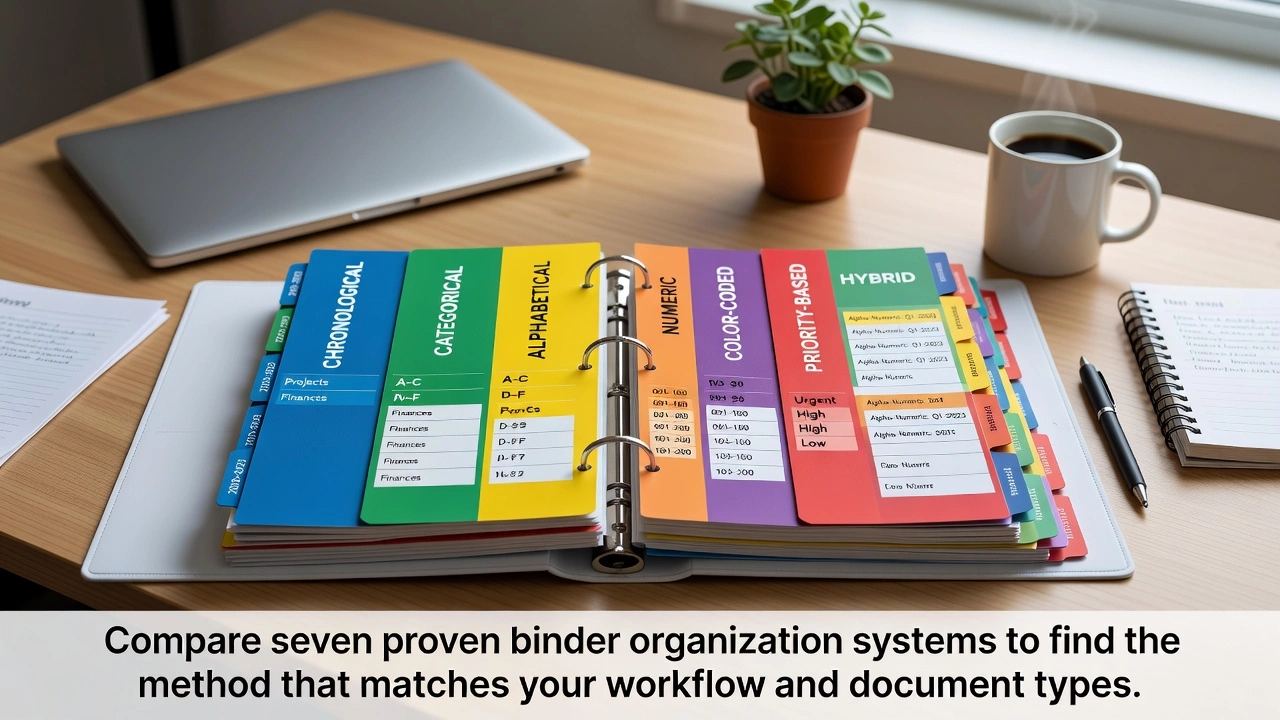



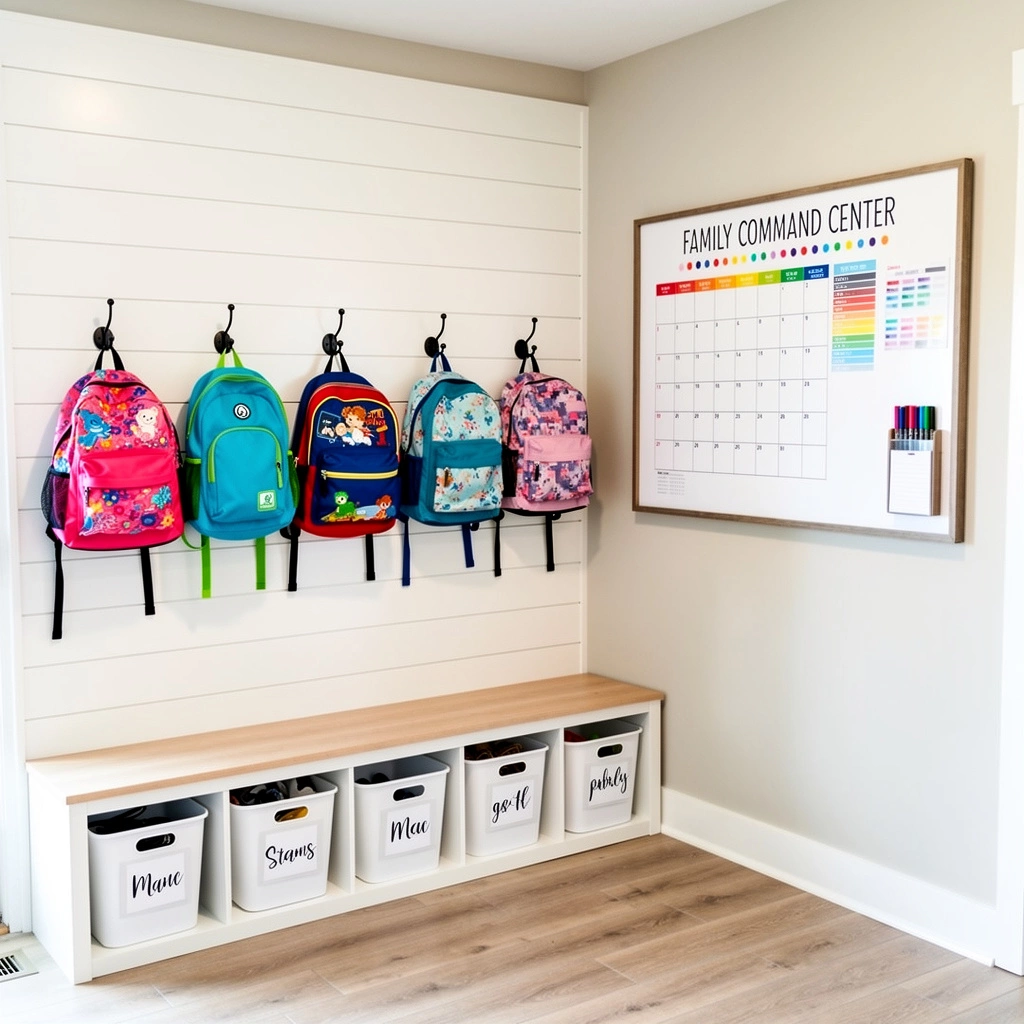

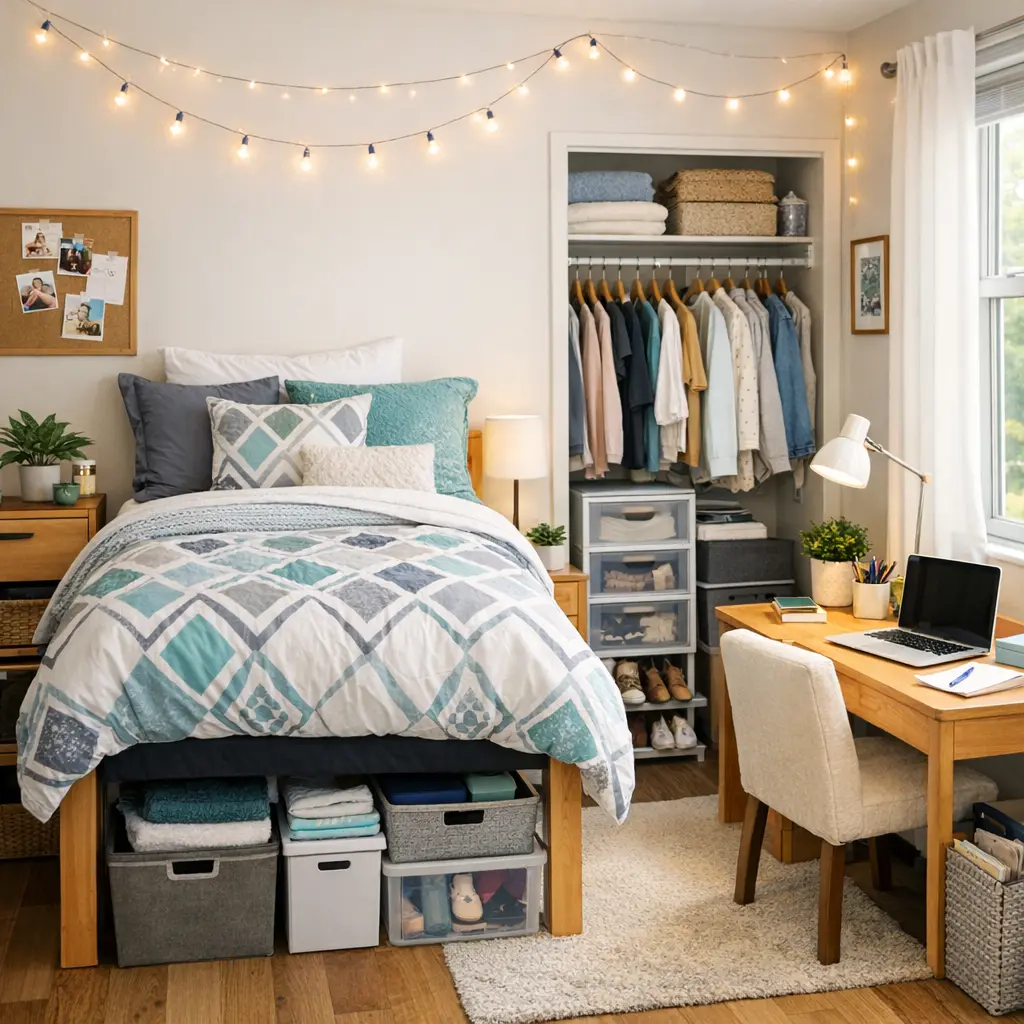
Leave a Reply