

Choosing the best backpacks for college students affects your daily comfort, protects expensive electronics, and can last you through graduation or beyond. College students carry laptops, textbooks, chargers, notebooks, water bottles, and personal items—sometimes for hours between classes. The wrong backpack causes shoulder pain, offers poor laptop protection, or falls apart after one semester.
This guide helps you find the best backpack for your specific college situation, whether you’re a commuter hauling heavy engineering textbooks, a minimalist with just a laptop and notebook, or someone who needs their backpack to work for classes, the gym, and weekend trips. You’ll learn which features matter most, how much to spend, and which backpacks offer the best value for different budgets and majors.
What Makes a Great College Backpack
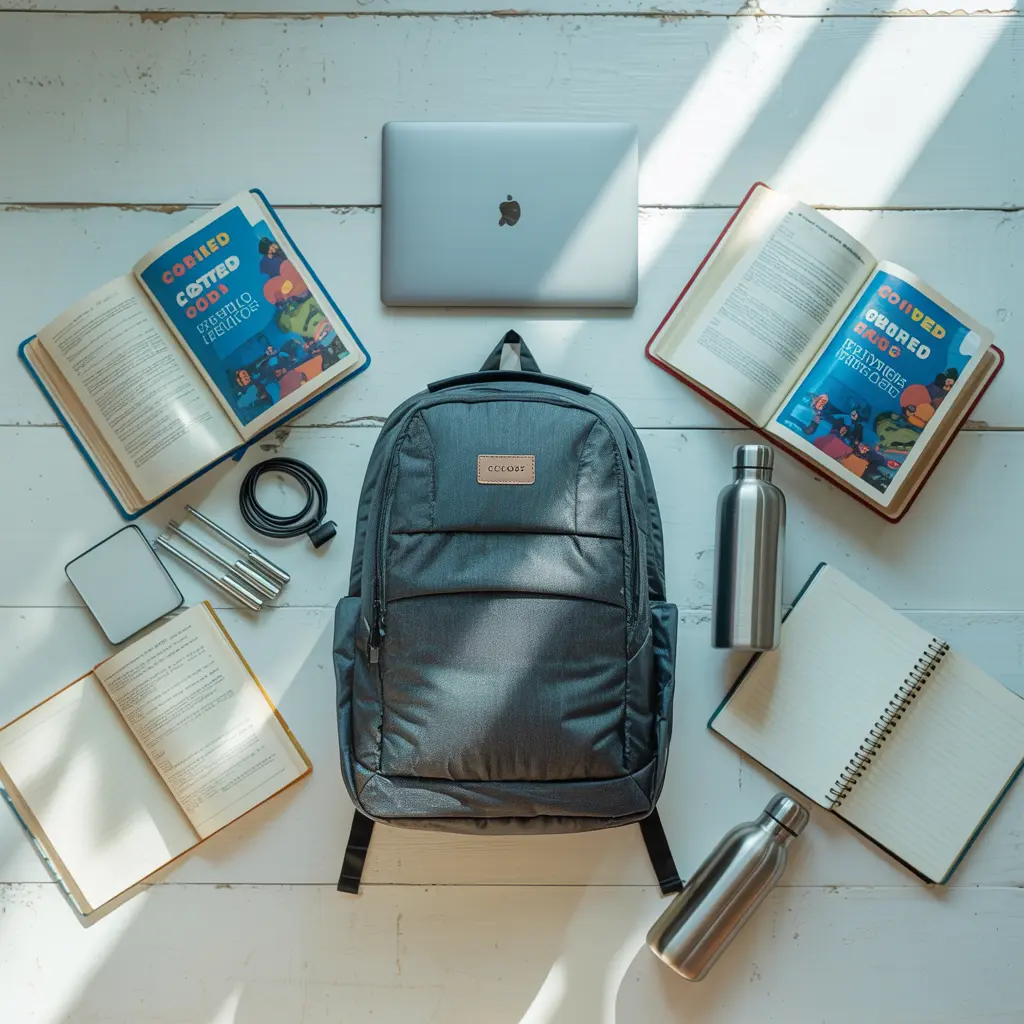
A great college backpack balances protection, comfort, capacity, and durability. Unlike high school backpacks, college bags need to protect expensive laptops and tablets while remaining comfortable during longer wear periods—students often wear backpacks for 4-8 hours daily between classes, studying, and commuting.
Protection: Your laptop, tablet, and chargers represent hundreds or thousands of dollars. Quality backpacks include padded, elevated laptop compartments that suspend devices away from the bottom (protecting from drops) and sides (protecting from bumps).
Comfort: Poor weight distribution causes neck, shoulder, and back pain. Padded shoulder straps (at least 2 inches wide), sternum straps, and breathable back panels distribute weight across your body instead of pulling on your shoulders.
Capacity: Most college students need 20-30 liters of capacity. This fits a 15-inch laptop, 2-3 textbooks, notebooks, a water bottle, and personal items. STEM majors with multiple heavy textbooks and calculators may need 30-35 liters.
Durability: College backpacks face daily use in all weather conditions. Quality construction includes reinforced stitching at stress points, durable zippers (YKK brand preferred), and tear-resistant fabrics like ballistic nylon or high-denier polyester.
Organization: Multiple compartments prevent the frustration of digging through a single large cavity. Dedicated pockets for chargers, pens, keys, and water bottles save time and protect items from damage.
Essential Features Every College Backpack Needs
Padded Laptop Compartment
This is non-negotiable. Your laptop compartment should include padding on all sides and be suspended from the bottom. Measure your laptop before buying—a 15-inch compartment means the diagonal screen measurement, but physical dimensions vary. Leave 1-2 inches of clearance for easy insertion and padding.
What to look for:
- Padding at least 0.5 inches thick
- Velcro or zipper closure to secure laptop
- Separate compartment (not just a sleeve in the main area)
- Bottom elevation (device doesn’t rest on backpack bottom)
Water-Resistant Material
Electronics and paper don’t mix well with rain. Water-resistant coating on polyester or nylon repels light rain and splashes. This differs from waterproof—water-resistant handles typical weather but not submersion.
Materials ranked by weather protection:
- Coated ballistic nylon (best)
- Coated high-denier polyester (very good)
- Treated canvas (moderate)
- Untreated materials (poor—avoid for college use)
Many backpacks include rain covers for heavy downpours. These store in a small pocket and deploy over the entire bag.
Comfortable Strap System
Proper straps prevent injury. Medical research shows that backpack weight exceeding 10-15% of body weight increases injury risk. Proper strap design mitigates this.
Essential strap features:
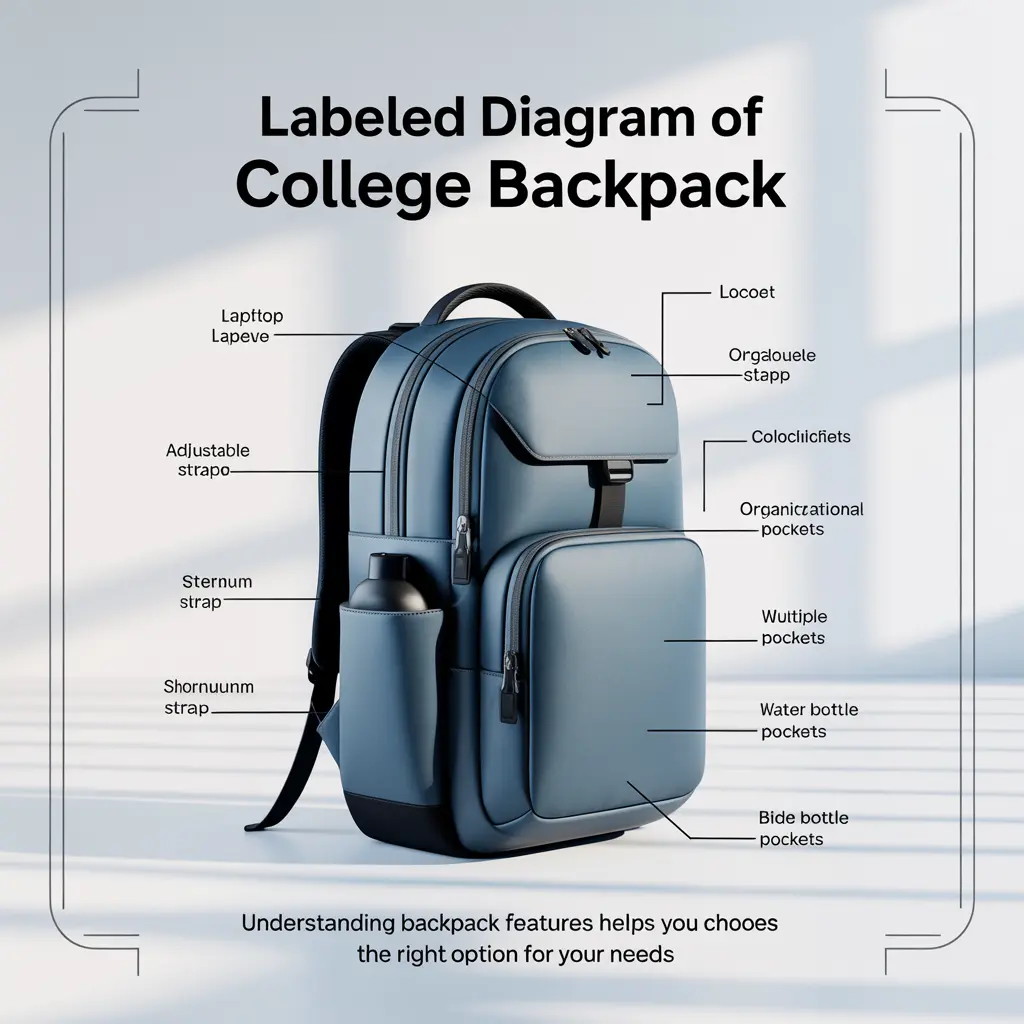
- Shoulder straps: Minimum 2 inches wide, contoured shape, breathable mesh
- Sternum strap: Connects shoulder straps across chest, prevents straps from sliding off shoulders
- Padding: Memory foam or dense padding at contact points
- Adjustability: Straps should adjust easily and hold position without slipping
Some backpacks include waist straps. These transfer weight to hips (your body’s strongest structure) and are valuable for commuters or students carrying heavy loads.
Multiple Organizational Pockets
Organization impacts daily efficiency. Dedicated pockets for frequently accessed items (phone, keys, wallet, pens) eliminate digging.
Useful organizational features:
- Front quick-access pocket: Keys, wallet, phone
- Side pockets: Water bottles (stretchy mesh works best)
- Internal organizer panel: Pen slots, small zipper pockets
- Separate tablet pocket: Protects tablets from laptop scratches
- Hidden pocket: Valuables (some include RFID-blocking material)
Durable Zippers
Zipper failure is the most common backpack breakdown point. YKK zippers (a Japanese manufacturer) represent the industry standard for reliability. Check that zippers are large (size #8 or larger for main compartments), have sturdy pulls, and open/close smoothly when you test the bag.
Adequate Capacity
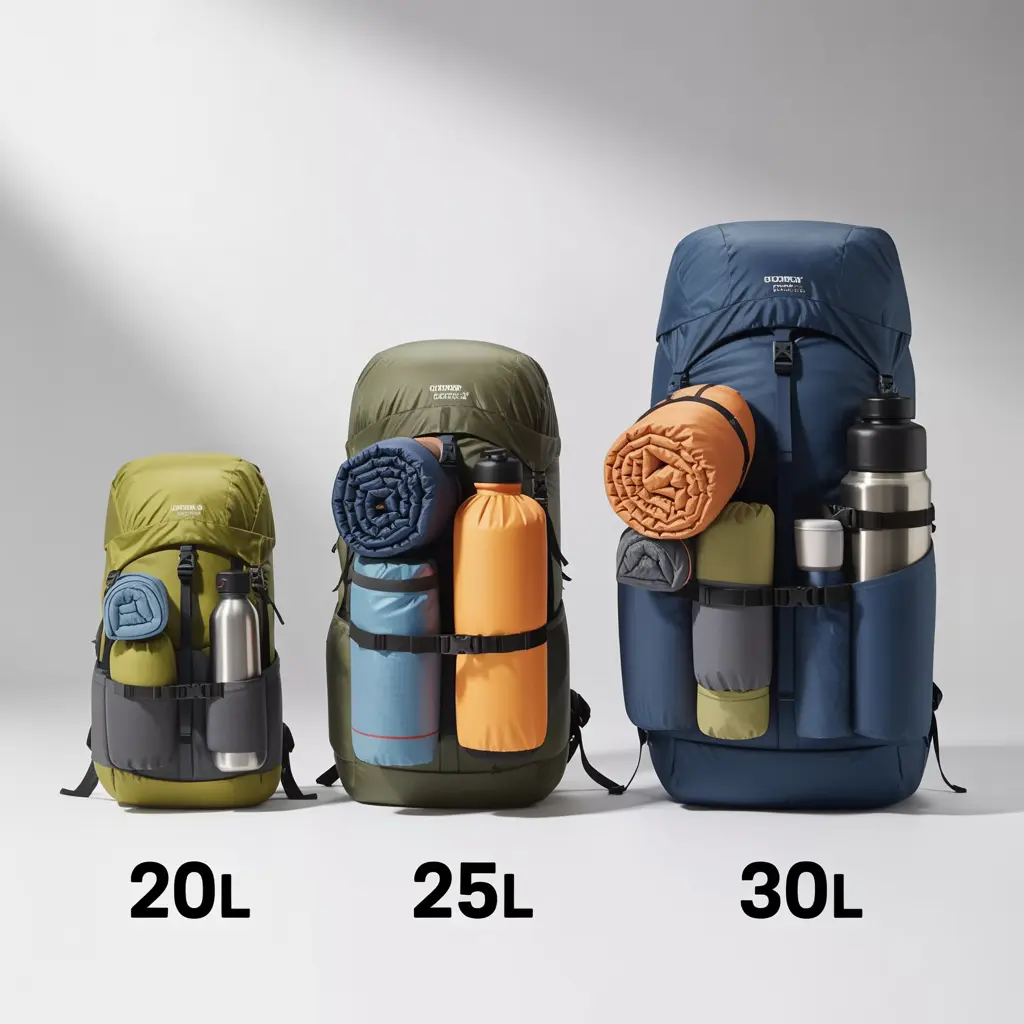
Backpack capacity is measured in liters. Here’s what different capacities accommodate:
15-20 liters: Minimalist setup only (laptop, notebook, small items)
20-25 liters: Standard college load (laptop, 1-2 textbooks, notebook, supplies)
25-30 liters: Heavy load (laptop, 3-4 textbooks, multiple notebooks, supplies)
30-35+ liters: Maximum college load (STEM majors, art students with supplies, or multi-purpose use)
Bigger isn’t always better. Larger backpacks encourage overpacking, increasing weight and strain.
How to Choose the Right Size and Capacity
Match capacity to your typical daily load. Bring your actual college items when testing backpacks, or use this estimation method:
Laptop: 3-5 liters (depending on size)
Textbook: 2-3 liters each
Notebook/binder: 1-2 liters each
Water bottle: 1 liter
Miscellaneous: 3-5 liters (chargers, snacks, jacket)
Example calculation:
- 15-inch laptop: 4 liters
- Two textbooks: 5 liters
- One notebook: 2 liters
- Water bottle: 1 liter
- Miscellaneous: 4 liters
- Total needed: 16 liters minimum
Add 25-30% buffer for comfort and irregular items: 16 × 1.25 = 20 liters ideal capacity.
Torso length matters too. Backpacks sit differently on different body types. Most backpacks come in one size, but premium models offer S/M/L sizing based on torso length (measure from C7 vertebra at base of neck to top of hip bones). Proper fit places weight on hips, not shoulders.
Best Backpacks for College Students by Type
Best for Commuter Students
Commuters need extra comfort and weather protection. You’ll wear your backpack longer, expose it to various weather, and may need to carry lunch and gym clothes.
Top pick characteristics:
- 25-30 liter capacity
- Superior padding and ergonomic design
- Excellent weather resistance or included rain cover
- Laptop compartment plus additional tech organization
- Luggage strap (slides over rolling suitcase handle for travel)
Recommended features:
- Waist strap for weight transfer
- Reflective elements for dawn/dusk visibility
- External water bottle pockets (stay hydrated without stopping)
- Trolley sleeve if you travel frequently
Best for Dorm Students
Dorm students walk shorter distances but need versatility. Your backpack should work for classes, library sessions, weekend trips, and gym visits.
Top pick characteristics:
- 20-25 liter capacity (adequate without being bulky)
- Style matters (you’ll use it socially, not just academically)
- Multiple compartments for organization
- Lightweight (under 2 pounds empty)
Recommended features:
- Sleek design that works casually
- Easy-access pockets for dorm key/student ID
- Shoe compartment if using for gym
- Compression straps to cinch down when not full
Best for STEM Majors
Engineering, mathematics, physics, and chemistry students carry heavy textbooks, scientific calculators, lab notebooks, and sometimes safety equipment.
Top pick characteristics:
- 30-35 liter capacity
- Exceptional weight distribution (padded back panel, waist strap)
- Reinforced bottom (heavy textbooks create stress)
- Tall design (textbooks stack vertically better than horizontally)
Recommended features:
- Multiple separate compartments (keep calculator and laptop apart)
- Rigid structure (prevents book corners from damaging electronics)
- Heavy-duty zippers and reinforced stitching
- Laptop sleeve near back (keeps weight close to body)
Best for Budget-Conscious Students
Quality backpacks exist at every price point. Budget options should prioritize durability and essential features over extras.
What to prioritize at lower budgets:
- Padded laptop protection
- Comfortable straps
- Warranty (even budget brands often offer warranties)
- Basic water resistance
- Durable zippers
What you can skip:
- Extra compartments beyond basic organization
- Premium materials (quality polyester outperforms cheap “leather”)
- Brand names (lesser-known brands often offer better value)
- USB charging ports (convenient but not essential)
- Excessive capacity (stick to 20-25 liters)
Budget ranges:
- $30-$50: Basic reliability, 1-2 year lifespan
- $50-$80: Good durability, better comfort, 2-4 year lifespan
- $80-$120: Excellent features and materials, 4+ year lifespan
- $120+: Premium materials, lifetime warranties, specialized features
Cost-per-year analysis: A $100 backpack lasting 4 years costs $25/year. A $40 backpack lasting 1 year costs $40/year. Spending more on quality often costs less long-term.
Best for Laptop Protection
If you carry an expensive laptop or multiple devices, prioritize protection above all else.
Top pick characteristics:
- Dedicated suspended laptop compartment (elevated from bottom)
- Separate tablet sleeve
- Thick padding on all sides (minimum 0.5 inches)
- Rigid frame or semi-rigid structure
- TSA-approved lay-flat design (laptop compartment opens 180° for airport security)
Protection features ranked:
- Excellent: Suspended, padded compartment with rigid frame
- Good: Padded compartment with bottom elevation
- Adequate: Padded sleeve in main compartment
- Poor: Unpadded sleeve (avoid)
Best for Organization
Students who carry many small items (chargers, cables, adapters, pens, highlighters, sticky notes, headphones) need organizational systems.
Top pick characteristics:
- Internal organization panel with elastic loops and pockets
- Front quick-access pocket with subdivisions
- Hidden or security pockets for valuables
- Key clip or lanyard attachment
- Cable management (pass-through holes or velcro organizers)
Organization hierarchy:
- Main compartment: Books, laptop, large items
- Secondary compartment: Notebooks, folders
- Front pocket: Frequently accessed items
- Internal organizer: Small items (pens, USB drives)
- Hidden pocket: Wallet, passport, emergency cash
- Side pockets: Water bottle, umbrella
Top Backpack Brands for College Students
JanSport
Known for: Lifetime warranty, classic designs, reliability
Price range: $40-$100
Best for: Students wanting proven durability and warranty protection
Popular models: Right Pack, SuperBreak, Big Student
JanSport pioneered the lifetime warranty for backpacks. If your backpack fails due to manufacturing defect, they repair or replace it free. Their designs are simple, proven, and widely available. They lack some modern tech features but excel at core functionality.
The North Face
Known for: Outdoor durability, comfortable carry systems, weather resistance
Price range: $70-$150
Best for: Commuters, outdoor enthusiasts, students needing weather protection
Popular models: Borealis, Jester, Recon
The North Face applies outdoor gear technology to student backpacks. Their FlexVent suspension system (padded mesh back panel, spine-channeling, and ergonomic straps) offers exceptional comfort. Materials withstand harsh weather. Premium pricing reflects outdoor-grade construction.
Herschel Supply Co.
Known for: Style-focused designs, classic aesthetic, laptop protection
Price range: $60-$120
Best for: Students prioritizing appearance, urban commuters
Popular models: Little America, Pop Quiz, Heritage
Herschel combines vintage-inspired looks with modern laptop protection. Their signature striped liner and variety of colors appeal to fashion-conscious students. Build quality is good but not as rugged as outdoor brands. Limited warranty (1 year) compared to competitors.
SwissGear
Known for: Laptop protection, TSA-friendly designs, value pricing
Price range: $40-$100
Best for: Tech-heavy students, frequent travelers, budget-conscious buyers
Popular models: 1900 ScanSmart, 5505 Laptop Backpack
SwissGear, related to Swiss Army (Victorinox), specializes in protecting electronics. Their ScanSmart design lets you pass through airport security without removing your laptop. Excellent organization and padding at competitive prices. Styling is functional rather than fashionable.
Patagonia
Known for: Environmental responsibility, lifetime warranty, premium materials
Price range: $90-$150
Best for: Eco-conscious students, outdoor activities, lifetime durability
Popular models: Refugio, Arbor, Paxat
Patagonia uses recycled materials and Fair Trade manufacturing. Their Ironclad Guarantee covers defects and offers repairs for reasonable wear. Premium pricing reflects ethical manufacturing and environmental commitments. Excellent if sustainability matters to you.
Fjällräven
Known for: Iconic Kånken design, durability, weather resistance
Price range: $80-$150
Best for: Style-conscious students, minimalists, urban environments
Popular models: Kånken, Räven
Fjällräven’s Kånken became a cultural icon among students. The simple rectangular design uses highly durable Vinylon F fabric (weather-resistant synthetic). Minimalist organization means less clutter but fewer specialty pockets. Premium pricing, distinctive look, excellent build quality.
Everki
Known for: Laptop protection, lifetime warranty, tech organization
Price range: $70-$200
Best for: Tech students, multiple device carriers, laptop sizes 17″+
Popular models: Atlas, Titan
Everki specializes in laptop backpacks with protection systems rivaling hard cases. They accommodate large laptops (17-18 inches) better than most competitors. Excellent organization for cables, chargers, and accessories. Heavier than minimalist bags due to protection structure.
Price Ranges: What to Expect at Each Level
$30-$50: Entry Level
Quality level: Basic functionality, 1-2 year typical lifespan
Materials: Standard polyester, basic zippers, minimal padding
Warranties: Limited (30-90 days) or none
Best for: Short-term needs, extreme budget constraints
What you get:
- Basic laptop sleeve (may not be padded)
- Simple shoulder straps with moderate padding
- Limited organization (1-2 compartments)
- Basic construction that handles light use
What you sacrifice:
- Durability (expect replacement within 1-2 years)
- Comfort features (basic straps, minimal back padding)
- Weather protection (minimal or no water resistance)
- Warranty protection
When this range makes sense: Community college students with short commutes, students certain they’ll want to upgrade soon, very tight budgets.
$50-$80: Mid-Range Value
Quality level: Good durability, 2-4 year typical lifespan
Materials: Quality polyester or nylon, better zippers, adequate padding
Warranties: 1-3 years typical, some lifetime warranties
Best for: Most college students, best value-to-quality ratio
What you get:
- Padded laptop compartment
- Comfortable padded straps and back panel
- Multiple organizational pockets
- Water-resistant materials
- Better zipper quality
- Some brands offer lifetime warranties even at this price
Sweet spot: $60-$70 offers the best balance of features, comfort, and longevity for typical college use.
Representative quality: JanSport Big Student ($50-$60), SwissGear 1900 ScanSmart ($60-$80)
$80-$120: Premium Quality
Quality level: Excellent durability, 4+ year lifespan
Materials: High-grade nylon, YKK zippers, premium padding
Warranties: Lifetime or 5+ years typical
Best for: Students seeking maximum longevity, those with heavy loads, commuters
What you get:
- Superior laptop protection (suspended, well-padded)
- Advanced comfort systems (breathable mesh, ergonomic design)
- Excellent organization and thoughtful features
- Strong weather resistance, often with rain covers
- Premium materials that resist wear
- Lifetime warranties common
When worth the investment: Heavy daily use, long commutes, expensive laptop protection needs, students planning on 4+ years of use.
Representative quality: The North Face Borealis ($90-$100), Patagonia Refugio ($100-$120)
$120+: Specialized/Premium
Quality level: Highest available, specialized features
Materials: Technical fabrics, premium hardware, advanced construction
Warranties: Lifetime typical
Best for: Specific needs (photography students, travelers, tech enthusiasts)
What you get:
- Specialized compartments (camera gear, art supplies)
- Maximum laptop protection (hard-case level)
- Advanced materials (waterproof, ultra-durable)
- Unique features (convertible designs, anti-theft systems)
- Premium aesthetics (leather accents, designer collaborations)
When worth considering: Specialized majors (photography, film, art), frequent international travel, carrying extremely expensive equipment, maximum weather protection needs.
Laptop Protection Standards Explained
Not all laptop compartments provide equal protection. Understanding protection levels helps you match your needs to the right backpack.
Basic Protection: Padded Sleeve
Design: Soft sleeve with thin padding, located inside main compartment
Protection level: Low to moderate
Protects against: Minor bumps, scratches from other items
Doesn’t protect against: Drops, impacts to backpack bottom, side compression
When adequate: Inexpensive laptop, careful handling, short daily carry time, dorm students with minimal travel.
Standard Protection: Padded Compartment
Design: Separate zippered compartment with padding on sides and back
Protection level: Moderate to good
Protects against: Moderate bumps, scratches, minor drops
Doesn’t protect against: Hard impacts, drops when backpack is set down forcefully
When adequate: Most college students with typical laptops, normal daily use, reasonable care.
Advanced Protection: Suspended Compartment
Design: Padded compartment elevated from backpack bottom, separated from sides
Protection level: Good to excellent
Protects against: Drops, impacts, compression, scratches
Protection method: Suspension prevents impact transfer; laptop “floats” within compartment
When recommended: Expensive laptops, long commutes, frequent travel, rough handling environments, students who carry backpack alongside heavy items.
Maximum Protection: Hard-Shell/Frame Design
Design: Rigid frame or semi-rigid shell surrounding laptop compartment
Protection level: Excellent to maximum
Protects against: Significant drops, crushing pressure, all-weather exposure
Trade-off: Heavier, bulkier, more expensive
When recommended: Very expensive laptops, large screens (17″+), photography/video students with multiple devices, students in crowded public transit environments.
Additional Protection Features
Impact foam: Some backpacks use specialized foam that hardens on impact, providing superior protection while remaining flexible during normal use.
Corner protection: Reinforced corners protect the most vulnerable laptop areas.
False bottom: Raised interior bottom creates 1-2 inch gap between backpack bottom and laptop compartment floor.
Laptop strap: Velcro or compression strap secures laptop within compartment, preventing movement.
Ergonomics and Health Considerations
Improper backpack use causes neck pain, shoulder strain, and back problems. College students often carry 15-30 pounds daily, making ergonomic design critical.
Weight Recommendations
Medical guidelines suggest backpack weight should not exceed 10-15% of body weight. For a 150-pound student, this means maximum 15-22.5 pounds.
Typical college backpack weights:
- Laptop (15-inch): 4-5 pounds
- Textbook: 3-5 pounds each
- Notebooks, supplies: 2-4 pounds
- Backpack itself: 1-3 pounds
- Water, snacks, personal items: 2-3 pounds
Example: 5 lb laptop + 8 lbs textbooks (2 books) + 3 lbs supplies + 2 lb backpack + 3 lbs miscellaneous = 21 pounds total.
For a 150-pound student, this approaches the safe limit. Heavier loads or lighter students need excellent weight distribution.
Proper Fit and Adjustment
Shoulder strap adjustment:
- Loosen straps completely
- Put backpack on
- Tighten straps until backpack sits 2 inches below shoulders
- Weight should distribute evenly
- Straps shouldn’t dig into shoulders or slip off
Sternum strap positioning:
- Place 2-3 inches below collarbone
- Tighten enough to prevent strap slippage, not so tight that breathing is restricted
- Should feel secure without discomfort
Waist strap use (if equipped):
- Position at top of hip bones
- Tighten to transfer some weight to hips
- Particularly important for loads exceeding 15 pounds
Signs of Poor Fit
Watch for these indicators:
- Red marks on shoulders after use
- Numbness or tingling in arms or hands
- Backpack sagging below waist
- Forward-leaning posture while wearing backpack
- Neck or upper back pain after carrying
- Straps constantly slipping off shoulders
These signs indicate either poor fit, too much weight, or quality issues with the backpack itself.
Packing for Ergonomic Health
Proper packing improves weight distribution:
Heaviest items: Pack closest to back, centered between shoulders (typically laptops and thick textbooks)
Medium-weight items: Middle of backpack (notebooks, supplies)
Lightest items: Front compartments and top (papers, snacks, jacket)
Principle: Keep weight close to your body’s center of gravity. Weight far from your back creates leverage that pulls shoulders backward and strains muscles.
Single-Shoulder Carrying
Carrying a backpack on one shoulder—common when rushing between classes—creates muscle imbalance and spine stress. If you must single-strap carry:
- Switch shoulders frequently
- Use only for short distances
- Don’t do this with heavy loads
- Consider a messenger bag if you prefer single-shoulder carrying
Weather Resistance: What You Need to Know
Electronics and rain don’t mix. Understanding weather resistance helps protect your gear.
Water-Resistant vs. Waterproof
Water-resistant: Repels light rain and splashes but will eventually saturate in heavy rain or submersion. Most college backpacks are water-resistant.
Waterproof: Completely blocks water entry, even during submersion. Rare in backpacks (requires sealed seams and waterproof zippers); more common in dry bags and specialized outdoor gear.
For college use: Water-resistant is adequate for most climates. Supplement with rain cover for heavy rain.
Material Weather Resistance
Coated nylon: Excellent water resistance, durable, most common in quality backpacks.
Coated polyester: Good water resistance, less expensive than nylon, very common.
Waxed canvas: Moderate water resistance, develops patina over time, requires re-waxing periodically for best protection.
Untreated canvas or cotton: Poor water resistance, avoid for college use in rainy climates.
Vinyl or TPU coating: Excellent water resistance, heavier and less breathable, common in budget backpacks.
Rain Covers
Many backpacks include or offer rain covers—thin nylon shells that deploy over the entire backpack during heavy rain. These store in small pockets (often in the bottom) and add significant weather protection.
When rain covers are essential:
- Climates with frequent heavy rain
- Long outdoor commutes
- Students who bike to class
- Inadequate indoor storage between classes (backpack sits outside in weather)
Zipper Considerations
Standard zippers allow water entry. Higher-quality backpacks use:
- Water-resistant zippers: Coated or specially designed to resist (not eliminate) water entry
- Storm flaps: Fabric flaps covering zippers to shed water
- Waterproof zippers: Rare and expensive; creates complete water seal
Protecting Electronics in Wet Conditions
Even with water-resistant backpacks:
- Use laptop sleeves or cases for additional protection
- Place electronics in plastic bags during heavy rain
- Don’t set backpack in puddles (bottoms get wettest)
- Dry backpack completely if it gets wet (prevent mold and mildew)
- Store important documents in waterproof pouches
Backpack Maintenance and Care Tips
Proper care extends backpack lifespan from years to decades.
Regular Cleaning
Frequency: Deep clean 2-3 times per year; spot clean as needed
Process:
- Empty all pockets completely
- Shake out debris and crumbs
- Spot-clean stains with mild soap and damp cloth
- For deep cleaning: hand-wash in bathtub with mild detergent
- Rinse thoroughly (soap residue attracts dirt)
- Air dry completely (never put in dryer—damages materials and padding)
- Ensure completely dry before storage (prevents mildew)
What to avoid:
- Washing machines (damage padding, straps, and structure)
- Bleach or harsh chemicals (damage coatings and colors)
- Dryers (melt materials, damage padding, warp structure)
Zipper Maintenance
Zipper failure is the most common backpack problem. Prevention is easier than replacement.
Maintenance steps:
- Keep zippers clean (dirt and debris jam mechanisms)
- Don’t force stuck zippers (identify and remove obstruction)
- Lubricate occasionally with zipper lubricant, wax, or graphite
- Close zippers before washing
- Don’t overpack (creates excessive strain on zippers)
When zippers stick: Run lead pencil graphite along teeth (graphite acts as lubricant), then work zipper back and forth.
Storage
During summer break:
- Clean thoroughly
- Ensure completely dry
- Store in cool, dry place (avoid attics and basements with humidity/temperature extremes)
- Stuff loosely with acid-free paper to maintain shape
- Don’t compress under heavy items (damages padding and structure)
Daily storage:
- Hang on hook (preserves strap shape)
- Don’t leave in hot cars (damages materials)
- Store in dry location (wet backpacks develop mildew)
Preventive Maintenance
Inspect regularly:
- Check stitching at stress points (shoulder strap attachments, bottom corners)
- Test zippers for smooth operation
- Examine fabric for tears or excessive wear
- Check buckles and hardware for cracks
Address small problems immediately:
- Repair small tears before they expand (fabric glue or iron-on patches)
- Tighten loose threads (prevents unraveling)
- Replace broken buckles (hardware stores sell standard replacements)
- Consider professional repair for significant damage
Many outdoor gear shops and shoe repair businesses offer backpack repair services. Professional repairs cost less than replacement and often restore full functionality.
Common Backpack Buying Mistakes to Avoid
Mistake 1: Choosing Size Based on Maximum Capacity
The problem: Bigger backpacks encourage overpacking, leading to excessive weight and strain.
Better approach: Choose minimum capacity that fits your typical needs. Most students need 20-25 liters, not 35-40.
Mistake 2: Prioritizing Looks Over Comfort
The problem: Uncomfortable backpacks sit unused after the first painful week.
Better approach: Test with weight, walk around the store, prioritize fit and comfort, then choose among comfortable options based on aesthetics.
Mistake 3: Buying Without Testing
The problem: Backpacks fit differently on different body types. Online reviews can’t predict your individual fit.
Better approach: When possible, test in-store with weight. If buying online, understand return policies and actually test upon arrival.
Mistake 4: Ignoring Warranty
The problem: Backpacks without warranties often reflect manufacturer’s lack of confidence in durability.
Better approach: Prioritize brands offering multi-year or lifetime warranties. These companies stand behind their products.
Mistake 5: Overspending on Features You Won’t Use
The problem: USB charging ports, complex organization systems, and specialized compartments add cost. If you won’t use them, you’re wasting money.
Better approach: List your actual needs before shopping. Buy what you’ll use, not what seems cool.
Mistake 6: Underestimating Laptop Protection Needs
The problem: Basic sleeves don’t protect laptops from drops or compression. Laptop replacement costs far exceed backpack costs.
Better approach: If you have a $500+ laptop, invest in a backpack with genuine protection (suspended, padded compartment).
Mistake 7: Buying Too Early
The problem: Your college needs may differ from expectations. First-semester students often realize they need more or less capacity than anticipated.
Better approach: If possible, use an existing backpack for the first few weeks, then buy based on actual needs.
Mistake 8: Choosing Fashion Brands Over Functional Brands
The problem: Designer backpacks prioritize appearance over functionality, comfort, and durability.
Better approach: Choose backpack specialists (The North Face, JanSport, SwissGear) over fashion brands unless you’ve verified the fashion brand’s build quality.
How to Test a Backpack Before Buying
In-Store Testing
Step 1: Load it appropriately
Bring your laptop or ask staff for weighted items. Approximate your typical load (15-20 pounds for most students).
Step 2: Adjust properly
Loosen all straps, put it on, then adjust shoulder straps so backpack sits 2 inches below shoulders. Adjust sternum strap if equipped.
Step 3: Walk around
Spend 5-10 minutes walking. Move naturally—bend, turn, reach for items as you would between classes.
Step 4: Evaluate comfort
- Do straps dig in or feel comfortable?
- Does weight distribute evenly?
- Can you breathe comfortably?
- Do you feel balanced or pulled backward?
Step 5: Test access
While wearing the backpack, can you:
- Reach side water bottle pockets?
- Access front pocket for phone or keys?
- Open and close main zipper comfortably?
Step 6: Evaluate organization
Open all compartments. Does the organizational system match your needs? Are pockets sized appropriately for your items?
Online Purchase Testing
When buying online:
- Check return policy before purchasing
- Upon arrival, test immediately (same process as in-store)
- Load with actual items, wear for 20-30 minutes
- Return without hesitation if fit or comfort isn’t right
- Don’t remove tags or use outdoors until certain you’re keeping it
Questions to ask during home testing:
- Does this feel comfortable with my actual daily load?
- Is organization intuitive for my items?
- Does my laptop fit with adequate protection?
- Do all zippers work smoothly?
- Are there any pressure points or discomfort?
Trust your initial impression. If something feels off during testing, it will likely bother you more during daily use.
Warranty Information and What It Covers
Warranties indicate manufacturer confidence and provide protection for defects.
Warranty Types
Lifetime warranties:
Cover manufacturing defects for life of product. Do not cover normal wear, damage from misuse, or cosmetic issues.
Who offers them: JanSport, Patagonia, Everki, some SwissGear models, some The North Face models
What they cover:
- Stitching failures
- Zipper defects (not zippers damaged by forcing)
- Material defects
- Hardware failures (buckles, clips)
What they don’t cover:
- Normal wear (fabric fading, minor abrasions)
- Damage from misuse (cuts, burns, animal damage)
- Cosmetic issues (stains, dirt)
- Loss or theft
Limited warranties (1-5 years):
Cover defects for specified period. Terms vary by brand.
No warranty:
Red flag indicating either extreme budget product or manufacturer doesn’t expect product to last. Avoid unless budget absolutely requires it.
Making Warranty Claims
Process typically involves:
- Contacting manufacturer (email or phone)
- Providing proof of purchase (often not required for lifetime warranties)
- Describing problem with photos
- Shipping product to manufacturer (usually at your expense)
- Receiving repair or replacement (shipping usually covered by manufacturer)
Tips for successful claims:
- Keep receipts or order confirmations
- Contact manufacturer while product is still relatively new (even lifetime warranties may have limits on extreme wear)
- Accurately describe the problem
- Be honest about use (misuse typically voids warranties)
- Factor in shipping costs (sometimes replacement is cheaper than warranty claim if shipping is expensive)
Sustainable and Eco-Friendly Options
Environmental impact matters to many students. Several brands prioritize sustainability.
Patagonia
Environmental practices:
- Uses recycled materials (polyester from plastic bottles)
- Fair Trade Certified factories
- Worn Wear program (repairs and resells used items)
- 1% for the Planet member (donates 1% of sales)
- Extensive repair services
Models: Refugio, Arbor Classic
Fjällräven
Environmental practices:
- Uses Vinylon F fabric (less petroleum-intensive than nylon)
- Fluorocarbon-free water resistance
- Long-lasting designs reduce replacement frequency
- PFC-free materials
Models: Kånken (various sizes)
The North Face
Environmental practices:
- Uses recycled materials in many products
- Clothes the Loop program (recycles old gear)
- Sustainability goals (100% sustainably sourced by specific targets)
Models: Many Borealis and Recon versions use recycled materials
What to Look For
Recycled materials: Backpacks made from recycled plastic bottles or fishing nets
Sustainable production: Fair Trade or ethically certified manufacturing
Durability: Longer-lasting products reduce environmental impact regardless of materials
Repair programs: Brands that repair extend product life
Minimal packaging: Less waste in packaging and shipping
Certifications: bluesign®, Fair Trade, Recycled Claim Standard
Budget vs. Sustainability
Sustainable backpacks often cost more upfront but last longer, potentially costing less over time. If budget is extremely tight:
- Buy the most durable option you can afford (longevity is sustainable)
- Consider secondhand backpacks (extends product life)
- Maintain properly to maximize lifespan
- Repair rather than replace when possible
When to Replace Your College Backpack
Backpacks don’t last forever. Replace when:
Safety issues:
- Broken straps (risk of dropping backpack and damaging laptop)
- Non-functional zippers on main compartments (can’t secure contents)
- Large tears (items fall out)
- Broken laptop compartment (inadequate protection)
Comfort problems:
- Worn-out padding (causes pain)
- Straps that won’t stay adjusted
- Damage to back panel affecting weight distribution
Significant wear:
- Water resistance completely gone (in wet climates)
- Multiple components failing simultaneously
- Fabric deteriorating (thin spots, extensive fraying)
When repair makes sense:
- Single zipper failure (replacement zippers available)
- Small tears (patches work)
- Strap damage (can be resewn)
- Otherwise good condition
When replacement makes sense:
- Multiple major problems
- Repair cost approaches replacement cost
- Your needs have changed significantly
- Comfort issues causing pain
Average lifespan expectations:
- Budget backpacks ($30-$50): 1-2 years
- Mid-range backpacks ($50-$80): 2-4 years
- Premium backpacks ($80-$120): 4-6+ years
- Specialty backpacks ($120+): 5-10+ years with proper care
Some students use the same quality backpack through four years of college and beyond. This requires proper maintenance and choosing durable options initially.
13) COMPARISON TABLES
Backpack Comparison by Student Type
| Student Type | Ideal Capacity | Key Features | Budget Range | Top Priorities |
|---|---|---|---|---|
| Commuter | 25-30L | Weather protection, comfort, waist strap | $80-$120 | Ergonomics, durability |
| Dorm Student | 20-25L | Versatility, style, lightweight | $50-$90 | Multi-use, organization |
| STEM Major | 30-35L | Reinforced bottom, weight distribution | $70-$110 | Capacity, structure |
| Budget-Conscious | 20-25L | Warranty, basic features, durability | $40-$70 | Value, longevity |
| Tech-Heavy | 20-28L | Laptop protection, tech organization | $60-$150 | Device protection |
| Minimalist | 15-20L | Lightweight, essential features only | $50-$100 | Simplicity, quality |
Brand Comparison
| Brand | Price Range | Warranty | Best For | Standout Feature |
|---|---|---|---|---|
| JanSport | $40-$100 | Lifetime | Reliability, value | Proven track record |
| The North Face | $70-$150 | Limited/Lifetime* | Comfort, weather | FlexVent system |
| Herschel | $60-$120 | 1 year | Style, laptop protection | Aesthetic appeal |
| SwissGear | $40-$100 | Limited | Tech, value | TSA-friendly design |
| Patagonia | $90-$150 | Lifetime | Sustainability | Environmental commitment |
| Fjällräven | $80-$150 | Limited | Durability, style | Vinylon F fabric |
*Varies by product line
Feature Priority by Budget
| Budget | Essential Features | Nice-to-Have | Skip |
|---|---|---|---|
| $30-$50 | Padded laptop sleeve, basic organization | Water resistance | USB ports, premium materials |
| $50-$80 | Padded compartment, comfortable straps, water resistance | Sternum strap, rain cover | Specialized features |
| $80-$120 | Suspended laptop compartment, ergonomic system, excellent materials | Waist strap, advanced organization, lifetime warranty | Designer aesthetics |
| $120+ | Maximum protection, specialized compartments, premium materials | Everything available | Nothing—get what you need |
Capacity Guidelines by Major
| Major Category | Typical Load | Recommended Capacity | Special Considerations |
|---|---|---|---|
| Liberal Arts | Laptop, 1-2 books, notebooks | 20-25L | Organization for papers |
| STEM | Laptop, 3-4 heavy texts, calculator, lab notebook | 30-35L | Reinforced structure |
| Business | Laptop, 1-2 books, documents | 20-25L | Professional appearance |
| Art/Design | Laptop, sketchbooks, supplies | 25-30L | Flat compartments |
| Engineering | Laptop, multiple texts, tools | 30-35L | Weight distribution |
| Nursing/Medical | Books, stethoscope, supplies | 25-30L | Organizational pockets |
14) CHECKLISTS
Pre-Purchase Checklist
Before buying, verify:
- Laptop compartment fits your laptop with 1-2 inches clearance
- Compartment has padding on all sides (minimum 0.5 inches)
- Shoulder straps are minimum 2 inches wide with adequate padding
- Sternum strap included (or waist strap if needed)
- Zippers operate smoothly (preferably YKK brand)
- Water-resistant material or coating
- Capacity matches your typical load (20-30L for most students)
- Organization meets your needs (count pockets)
- Warranty offered (lifetime or multi-year preferred)
- Price fits your budget
- Return policy acceptable (if buying online)
- Brand has positive reliability reputation
In-Store Testing Checklist
Test before purchasing:
- Load with approximately 15-20 pounds
- Adjust all straps properly
- Walk for 5-10 minutes
- Evaluate comfort (no digging straps, balanced weight)
- Test access to all pockets while wearing
- Open and close all zippers (smooth operation)
- Check laptop fits comfortably in designated compartment
- Verify water bottle fits in side pockets
- Examine stitching quality at stress points
- Inspect zipper quality and size
- Confirm materials feel durable
- Ask about warranty terms
Daily Packing Checklist (Ergonomic)
Pack in this order for best weight distribution:
Bottom/Back (heaviest items):
- Laptop (in designated compartment, closest to back)
- Heaviest textbook
Middle section:
- Additional textbooks
- Notebooks
- Folders
Front compartments:
- Lighter supplies
- Chargers and cables
- Snacks
- Papers
Top/Outside:
- Jacket or sweater
- Water bottle (side pocket)
- Items needed quickly (keys, wallet, phone)
Weight check:
- Total weight feels manageable
- No single heavy item in outer pockets
- Weight centered, not pulling to one side
Maintenance Checklist (Semester)
Every semester:
- Empty and shake out all compartments
- Spot-clean any stains
- Check zippers for smooth operation
- Inspect stitching at shoulder strap attachments
- Examine fabric for tears or excessive wear
- Clean water bottle pockets (prevent mildew)
- Lubricate zippers if sticky
- Check buckles and hardware for damage
Every year:
- Deep clean (hand wash if needed)
- Dry completely before storage
- Evaluate overall condition
- Consider warranty claim if defects present
- Decide if replacement needed
Warranty Claim Checklist
Before contacting manufacturer:
- Locate receipt or order confirmation
- Take clear photos of damage/defect
- Read warranty terms (confirm coverage)
- Prepare description of problem
- Note when issue first appeared
- Confirm you haven’t caused damage through misuse
During claim process:
- Contact manufacturer via official channels
- Be honest about use and problem
- Ask about shipping costs (factor into decision)
- Get claim reference number
- Confirm turnaround time
- Ask if repair or replacement
15) DECISION FRAMEWORKS
Framework 1: Budget-Based Decision Tree
Start: What’s your total budget?
$30-$50:
→ Prioritize: Warranty, basic padding, durable zippers
→ Skip: Extra features, premium materials
→ Recommended: JanSport SuperBreak, basic SwissGear models
→ Expectation: 1-2 year lifespan, basic functionality
$50-$80:
→ Prioritize: Comfortable straps, padded laptop compartment, water resistance
→ Look for: Lifetime warranties at this price point
→ Recommended: JanSport Big Student, SwissGear 1900
→ Expectation: 2-4 year lifespan, good features
$80-$120:
→ Prioritize: Suspended laptop protection, ergonomic systems, excellent materials
→ Expected: Lifetime warranties, superior comfort
→ Recommended: The North Face Borealis, Patagonia Refugio
→ Expectation: 4+ year lifespan, premium features
$120+:
→ Prioritize: Specialized needs, maximum protection, unique features
→ Expected: All premium features, specialized designs
→ Recommended: Everki Atlas (tech protection), specialty models
→ Expectation: 5-10+ year lifespan
Framework 2: Feature Priority Matrix
Rate your priorities (1-5 scale):
If Laptop Protection = 5:
→ Budget minimum: $60
→ Required: Suspended, padded compartment
→ Brands: SwissGear, Everki, The North Face
→ Feature: False bottom, corner protection
If Comfort = 5:
→ Budget minimum: $70
→ Required: Padded mesh back panel, sternum strap, contoured straps
→ Brands: The North Face, Osprey, Gregory
→ Feature: Ergonomic suspension systems
If Organization = 5:
→ Budget minimum: $50
→ Required: Multiple compartments, internal organizer panel
→ Brands: SwissGear, High Sierra, The North Face
→ Feature: Dedicated pockets for tech accessories
If Durability = 5:
→ Budget minimum: $60
→ Required: Lifetime warranty, high-denier fabric, YKK zippers
→ Brands: JanSport, Patagonia, The North Face
→ Feature: Reinforced stress points
If Budget = 5 (budget is priority):
→ Budget maximum: $60
→ Required: Warranty (ensures value), basic protection
→ Brands: JanSport, entry SwissGear
→ Feature: Simple, proven designs
Framework 3: Lifestyle-Based Selection
Commuter (1+ hour daily):
- Comfort is critical → minimum $80 budget
- Weather protection essential → coated materials + rain cover
- Weight distribution → waist strap helpful
- Recommendation: The North Face Borealis, Osprey Arcane
Dorm Resident:
- Versatility matters → works for multiple uses
- Short daily carry → comfort less critical
- Style often important → aesthetic options acceptable
- Recommendation: Herschel Pop Quiz, JanSport Right Pack
Heavy Course Load (STEM):
- Capacity critical → 30-35L minimum
- Structure needed → reinforced bottom, rigid frame
- Weight distribution → ergonomic features essential
- Recommendation: SwissGear 1900, The North Face Recon
Minimalist:
- Capacity 15-20L sufficient
- Lightweight → under 2 pounds empty
- Simple design → fewer compartments acceptable
- Recommendation: Fjällräven Kånken, simple JanSport models
Tech-Focused:
- Device protection primary → suspended laptop compartment
- Organization for accessories → cable management, pockets
- TSA-friendly helpful → lay-flat designs
- Recommendation: SwissGear ScanSmart, Everki models
Framework 4: Major-Based Recommendations
Engineering/STEM:
- Capacity: 30-35L
- Structure: Rigid or semi-rigid
- Organization: Multiple compartments for calculator, supplies
- Budget: $70-$120
- Top pick: SwissGear 1900 ScanSmart
Business/Economics:
- Capacity: 20-25L
- Appearance: Professional aesthetic
- Features: Laptop protection, document organization
- Budget: $80-$120
- Top pick: Herschel Little America, The North Face Jester
Liberal Arts/Humanities:
- Capacity: 20-25L
- Features: Basic organization, comfortable
- Priority: Value and durability
- Budget: $50-$90
- Top pick: JanSport Right Pack
Nursing/Pre-Med:
- Capacity: 25-30L
- Organization: Multiple pockets for supplies
- Features: Easy-clean materials
- Budget: $60-$100
- Top pick: The North Face Borealis
Art/Design:
- Capacity: 25-30L
- Features: Flat compartments for portfolios/sketchbooks
- Priority: Protect materials
- Budget: $70-$120
- Top pick: Specific art student backpacks or The North Face Recon
16) FAQs
1. How much should I spend on a college backpack?
Most college students should budget $60-$100 for a backpack that lasts 2-4 years. This price range offers padded laptop protection, comfortable straps, water resistance, and often lifetime warranties. Budget options ($40-$50) work for light use or tight budgets but typically last only 1-2 years. Premium backpacks ($100+) make sense for heavy daily use, long commutes, or specialized needs. Calculate cost per year—a $90 backpack lasting 3 years costs $30/year, while a $45 backpack lasting 1 year costs $45/year. Quality often costs less long-term.
2. What size backpack do I need for college?
Most college students need 20-30 liters of capacity. This fits a 15-inch laptop, 2-3 textbooks, notebooks, water bottle, and personal items. STEM majors with heavy textbooks may need 30-35 liters. Minimalists with just a laptop and notebook can use 15-20 liters. Avoid oversized backpacks—they encourage overpacking, increasing weight and strain. Your backpack should fit your typical daily load, not your maximum possible load. Test capacity by packing your actual college items before purchasing.
3. What features are most important in a college backpack?
The five essential features are: (1) padded laptop compartment that fits your device with room for protection, (2) comfortable padded shoulder straps at least 2 inches wide, (3) water-resistant material to protect electronics from rain, (4) multiple organizational pockets for supplies and accessories, and (5) quality zippers that operate smoothly and won’t fail. Secondary useful features include sternum straps for weight distribution, breathable back panels for comfort, and warranties for long-term protection. Prioritize these basics over extras like USB ports or excessive compartments you won’t use.
4. Are expensive backpacks worth it for college?
Expensive backpacks are worth it when they solve specific problems or last significantly longer. A $100 backpack with lifetime warranty and superior comfort makes sense for commuters carrying heavy loads daily. The same backpack is excessive for a dorm student with light use and short walks. Consider cost-per-year, not just upfront price—a $100 backpack lasting 5 years costs $20/year, while a $50 backpack lasting 18 months costs $33/year. Expensive is worth it when: you have a long commute, carry expensive electronics, have back problems, or need specialized features. Otherwise, the $60-$80 range offers excellent value.
5. How do I protect my laptop in a backpack?
Protect your laptop by choosing a backpack with a dedicated padded compartment, preferably suspended from the bottom. The compartment should have padding on all sides (minimum 0.5 inches thick) and fit your laptop with 1-2 inches of clearance. Pack your laptop against the back panel (closest to your body) for best protection. Additional protection methods include using a laptop sleeve inside the compartment, avoiding overpacking (which creates pressure), never setting your backpack down hard, and keeping laptops away from water bottles inside the bag. For expensive laptops, invest in backpacks with suspended compartments that isolate the laptop from impacts.
6. What’s the difference between water-resistant and waterproof backpacks?
Water-resistant backpacks repel light rain and splashes but will eventually saturate in heavy rain or submersion. The fabric has a coating that causes water to bead up and roll off. Waterproof backpacks completely block water entry even during submersion, using sealed seams and waterproof zippers—but these are rare and expensive in regular backpacks. For college use, water-resistant is adequate for most climates. Supplement with a rain cover (many backpacks include these) for heavy rain. Protect electronics further by keeping them in plastic bags during storms. True waterproof backpacks are typically only necessary for water sports or extreme weather conditions.
7. Should I get a backpack with a lifetime warranty?
Yes, when possible within your budget. Lifetime warranties indicate manufacturer confidence in durability and provide free repairs or replacements for defects. Brands like JanSport, Patagonia, and some The North Face models offer lifetime warranties even on mid-priced backpacks ($60-$100). Warranties don’t cover normal wear, misuse, or cosmetic issues—they cover manufacturing defects like stitching failures, zipper defects, or material problems. Even if you never use the warranty, brands offering them typically build better products. Read warranty terms before purchasing and keep your receipt, though many lifetime warranties don’t require proof of purchase.
8. How heavy should my backpack be when loaded?
Your loaded backpack should weigh no more than 10-15% of your body weight according to medical guidelines. For a 150-pound student, this means a maximum of 15-22.5 pounds total. Typical college backpack loads include: 15-inch laptop (4-5 lbs), textbooks (3-5 lbs each), notebooks (1-2 lbs total), supplies (2-3 lbs), and the backpack itself (1-3 lbs). This easily reaches 20+ pounds. If you exceed safe weight, remove items (use digital textbooks, leave non-essential items in locker/dorm, carry fewer books at once), or invest in a backpack with excellent weight distribution (padded straps, sternum strap, waist belt).
9. Can I use the same backpack for college and travel?
Yes, many college backpacks work well for weekend trips or short travel. Look for 25-30 liter capacity, compression straps (cinch down when not full), and luggage pass-through straps (slide over rolling suitcase handles). The North Face and Patagonia models often include travel-friendly features. However, extended international travel requires specialized travel backpacks with different organization (top-loading vs. panel-loading). For college students who travel frequently, choose versatile models like The North Face Borealis or SwissGear travel-friendly designs. These work for daily classes and weekend trips without requiring separate bags.
10. How do I clean and maintain my college backpack?
Clean your backpack 2-3 times per year by emptying all pockets, shaking out debris, and spot-cleaning stains with mild soap and a damp cloth. For deep cleaning, hand-wash in a bathtub with mild detergent, rinse thoroughly, and air dry completely—never use washing machines or dryers, which damage padding and structure. Maintain zippers by keeping them clean, lubricating with pencil graphite when sticky, and never forcing them. Store backpacks in cool, dry places during breaks. Inspect regularly for loose stitching, worn fabric, or damaged hardware, and repair small problems immediately before they worsen. Proper maintenance can double or triple backpack lifespan.




Leave a Reply